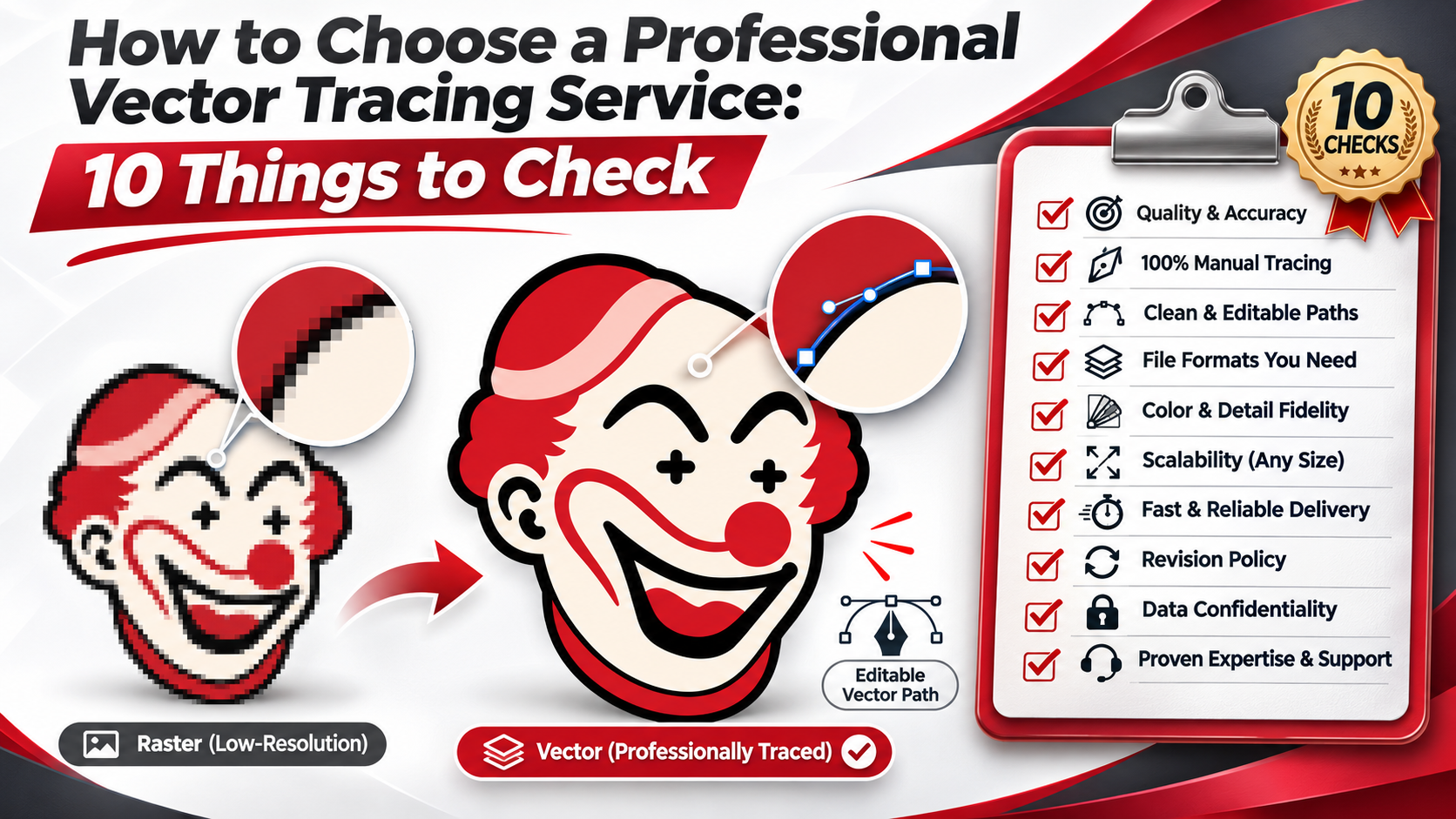
A vector preview can look perfect on screen and still cause trouble later. The curves look lumpy when you zoom in, the lettering is a “close enough” font, or the file turns out to be a PNG sitting inside a PDF. You usually find out when someone tries to edit it, cut it or print it.
This guide gives you ten checks to run before you hire anyone, whether you are restoring a faded company mark or preparing a customer’s artwork for a sign. It is built around evidence: what a provider can show you, what the quote actually covers, and whether the files will work in your workflow. Price matters, but it shouldn’t be the only thing you compare.
Keep three things nearby as you read: your original artwork, what it will be used for and any specs from your printer or sign shop.
Quick answer: what matters most?
Look for real before-and-after samples, faithful copies of the source, paths you can select and edit, a clear list of deliverables and straight answers about process and revisions. Ask who redraws the artwork and whether automatic tracing is involved. A low price or a “ready in minutes” promise says nothing about quality. A good provider can explain what they will reproduce, what is unclear in your source, and how you can check the result before you approve it.
10 checks before you hire a vector tracing provider
1. Look at real before-and-after samples
Ask to see the original raster file beside the finished vector, not just a big PNG of the result. The best samples look like your job: tight curves, small lettering, a rough scan. Compare proportions, line weights, spacing and the gaps inside letters. A beautiful logo with no original to compare against proves very little, because you cannot tell what the designer changed.
Ask: Can you show a before-and-after with detail similar to mine, including a close-up of the vector construction?
2. Find out how the artwork is built
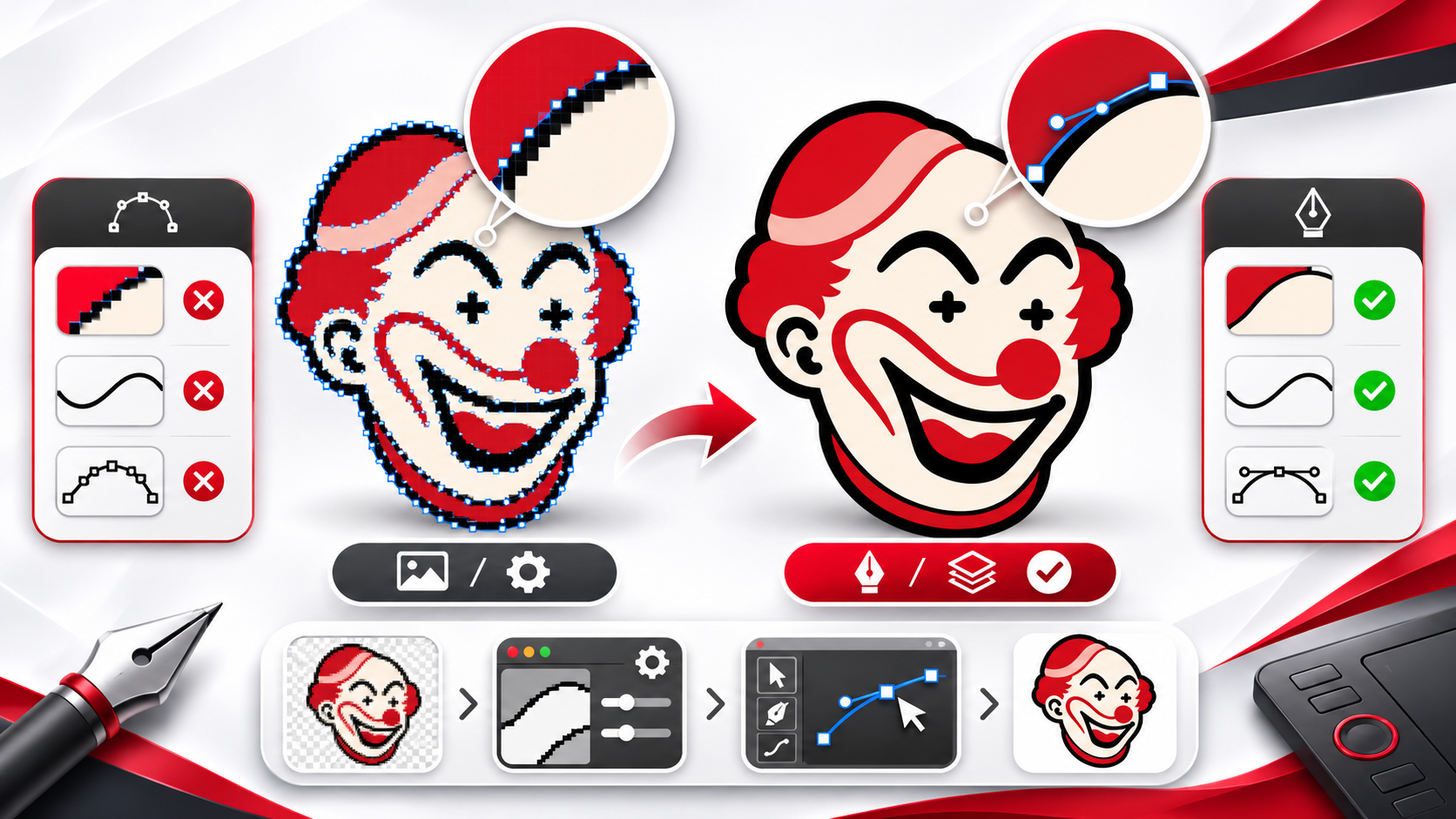
“Vectorized” can mean very different things. A designer may redraw every shape by hand or software may trace the pixels automatically and clean up afterwards. Auto-trace can work on simple, high-contrast artwork, but on real logos it often leaves wobbly edges and extra points. Don’t rely on a label. Ask the provider to explain the workflow and read our comparison of auto trace vs. manual vector tracing if you want the details.
Ask: Will this be redrawn by hand, auto-traced or both and how do you check the result?
3. Check fidelity to the original
Recreating a logo means preserving it, not improving it. Look at the overall silhouette first, then stroke thickness, spacing, line endings and small symbols. If your file is blurry or damaged, a good provider tells you which details they can rebuild with confidence and which need a clearer reference or your approval. Quietly “fixing” a distinctive letter can change how the brand looks.
Ask: Which details can you reproduce confidently, and which need a better reference or my approval?
4. Inspect the paths, not just the preview
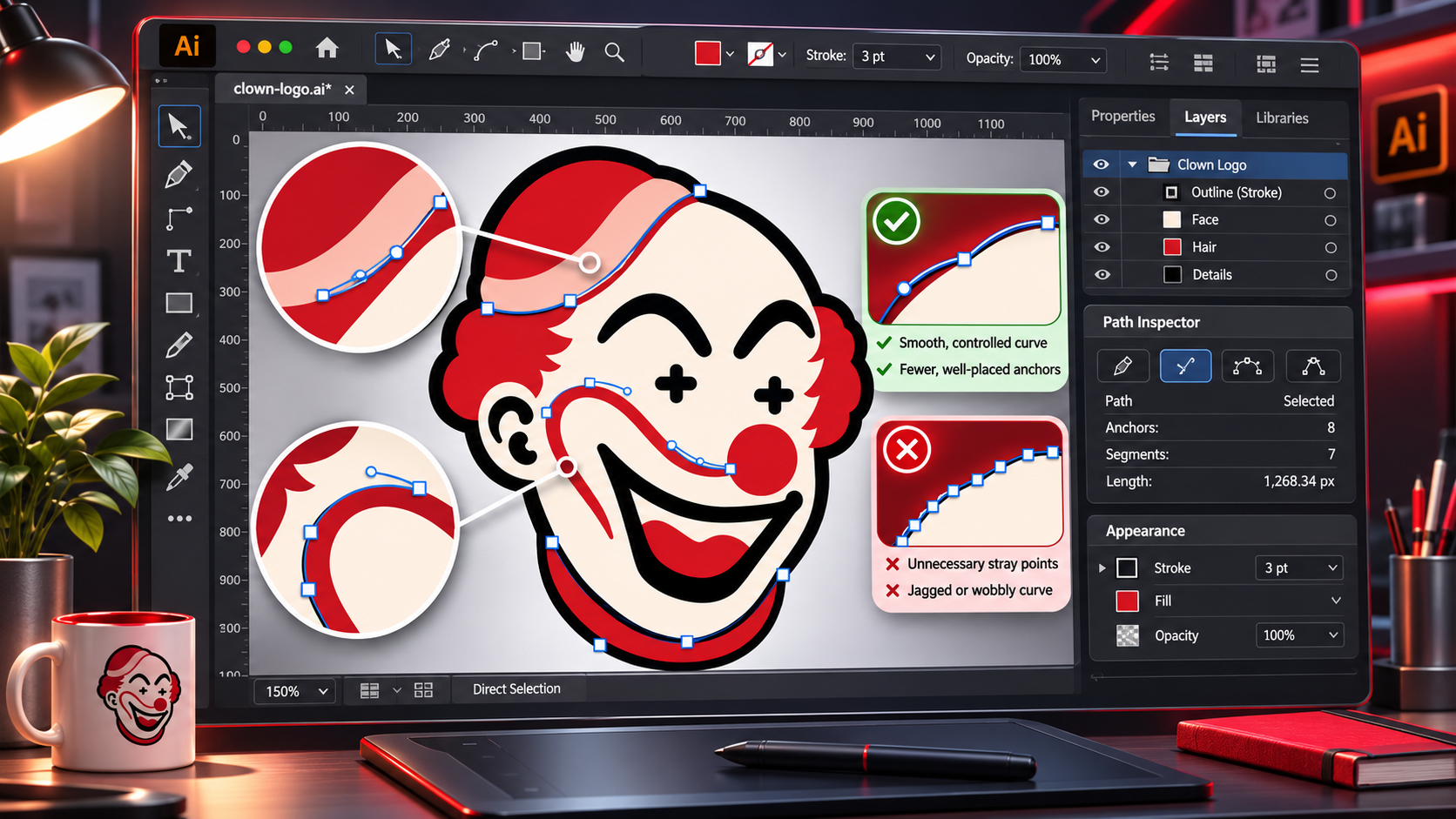
A real vector master is made of objects you can select and adjust. Zoom in far and look for bumps in the curves, doubled shapes, stray points and tiny gaps. More anchor points is not better by default. A few well-placed points usually give smoother, easier-to-edit curves, although complex shapes sometimes need more. Judge the result, not a point count.
Ask: Can you show me the anchor points around a tricky corner or curve, and confirm the file is editable?
5. Test the lettering
Type can be one of the hardest parts of an old logo. A close-but-wrong font can change a lowercase “a”, the width of an “R” or the spacing between letters. If the original typeface is unknown or has been altered, the letters may need to be redrawn as artwork rather than retyped. Check baselines, spacing, counters and slant, and look at the result at the smallest size you will use.
Ask: Will you match my exact lettering, including custom changes, or substitute an available font?
6. Confirm it will work in your production process
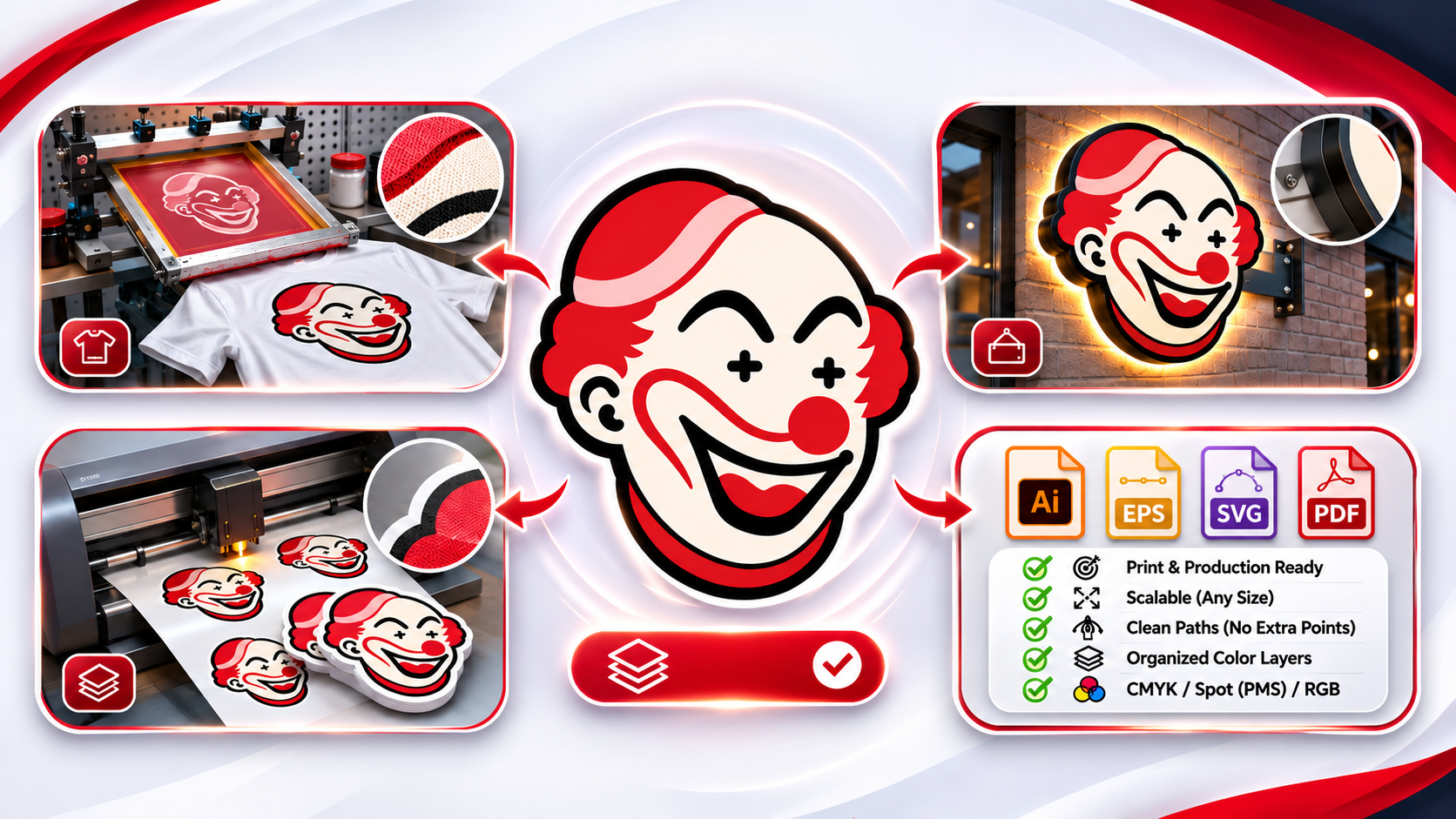
A clean master vector is not automatically ready for every press, cutter or machine. A sign shop may need closed cut paths. A screen printer may need confirmed ink colors and separations. Embroidery needs digitizing, which creates stitch data and is a separate job from vector tracing. Ask for your vendor’s file specs before you order, because color systems, minimum line sizes and output sizes all depend on the process.
Ask: Will you deliver a clean master, and which production-specific requirements can you meet once I send my vendor’s specs?
7. Confirm the file formats and what is truly editable
AI, EPS, SVG and PDF are common vector-capable formats, but the file extension proves nothing. An AI or PDF file can contain an embedded bitmap, and an SVG can hold a linked or embedded image. Ask for the path-based master and check that the shapes you need can be selected.
Decide up front whether you want live type or outlined type. Outlining keeps the letter shapes as vectors, but they become paths you can no longer edit with the Type tool, as Adobe explains in its guide to converting type to outlines. If you are not sure how to test a file, see how to tell if a logo is really a vector file.
Ask: Which files will I get, and is the artwork itself, not just the container file, editable vector geometry?
8. Understand revisions and approval
A revision policy should say what happens if the recreated shape does not match your reference, how you report problems, and what counts as a new request. Fixing an inaccurate curve is not the same as asking for a new logo concept. Ask when you will see a proof, how feedback is handled and what happens after final delivery. “Revisions included” does not mean unlimited redesign.
Ask: Which corrections are included, and how does final approval work?
9. Match the timeline to the complexity
A simple one-color emblem often takes less work than faded lettering, a detailed mascot or a gradient-heavy badge. A realistic schedule includes reviewing the source, building the artwork, quality checks and approval. Fast is not automatically bad, but a promise of instant perfection for any file deserves a follow-up question. If you have a print deadline, give the exact date and leave time for your own vendor to check the file.
Ask: What is the timeline for this artwork, and does it include time for review and corrections?
10. Get the scope and quote in writing
A useful quote says what will be recreated, which formats and variants you will receive, any assumptions, how revisions work and how questions are handled. A single low price with no scope often leads to mismatched expectations. If your reference is uncertain, choose the provider who asks questions before promising an exact match. For print shops that send customer files regularly, clear communication matters as much as a good sample. If you send customer artwork, confirm you have permission to request a redraw and ask how the provider handles confidential files and portfolio use.
Ask: What does the quote include, what would change the scope, and who approves changes?
Vector master vs. production-ready file
These two terms get mixed up, and it causes real delays. A vector master keeps the artwork in clean, scalable, inspectable objects. A production-ready file adds whatever the receiving shop needs: dimensions, minimum detail sizes, color setup, cut or separation conventions and accepted formats. A designer can build an excellent master without knowing your shop’s equipment. Treat production suitability as its own confirmation, and get it in writing.
Your 10-point comparison checklist
Use this table to organize your first conversation with each provider. Write down what they actually show you, not what the sales message claims. It is a comparison aid, not a ranking.
| Check |
Ask to see |
Good sign |
Warning sign |
|
| 1 |
Before and after |
Original beside finished artwork |
Genuine source, close-ups |
Only polished mockups |
| 2 |
Method |
A plain workflow explanation |
Hand redraw or an honest mix |
Vague “vectorized” claims |
| 3 |
Fidelity |
Notes on certain vs. unclear details |
Asks before guessing |
Silent “improvements” |
| 4 |
Path quality |
Anchor-point close-up |
Smooth curves, few stray points |
Bumps, doubled shapes |
| 5 |
Lettering |
Plan for custom letters |
Redrawn or exact match |
Nearest font swapped in unannounced |
| 6 |
Production fit |
Discussion of your vendor’s specs |
Master vs. shop-ready explained |
“Ready for anything” |
| 7 |
Deliverables |
Written list of formats |
Selectable paths confirmed |
Raster image inside a PDF |
| 8 |
Revisions |
Written correction and approval steps |
Redraw fixes separate from redesign |
“Unlimited” with no scope |
| 9 |
Deadline |
Schedule for your artwork |
Review time included |
Instant-perfect guarantees |
| 10 |
Quote |
Written scope and exclusions |
Assumptions listed |
One price, no scope |
Red flags in portfolios and “instant vector” promises
A red flag should start a conversation, not end it. Some fast conversions are fine for simple artwork, and some slow redraws still need corrections. What matters is the finished file and whether the provider will explain it. Be careful when you see:
- A portfolio of attractive mockups where you can’t see the original image next to the result.
- A case for quality that rests entirely on a high-resolution PNG preview.
- “AI, EPS, SVG and PDF included” with no confirmation that the files contain selectable paths. A raster image placed in a PDF can print acceptably at one size and still fail when you resize it, separate colors or edit it.
- A refusal to discuss unclear parts of your source. If a scan hides the end of a letter, a responsible designer asks for another image or your interpretation.
- A promise to meet every print or embroidery requirement without ever seeing the receiving shop’s instructions.
On the other side, providers who describe their limits calmly usually run a more controlled process than those who call themselves the “best”, “instant” or “perfect”.
What to send before you order
Share the clearest source you have, even if it is imperfect: an old PDF, screenshot, scan, printed sample or a photo of the original branding. A better reference helps, but a skilled provider should also tell you the limits of a poor one. Say whether you want a faithful recreation or a redesign, because those are different jobs.
Then explain the use. A social avatar, a storefront sign, an embroidered patch and a screen-printed shirt all ask different things of the artwork. Give the approximate final size, and if you can, get written requirements from your printer or fabricator. Ask for the deliverables you need, such as an editable AI master and a print PDF, instead of requesting every format without a reason.
If you have approved Pantone, CMYK or other color values, send them. A screenshot alone can’t establish exact print colors. Also say whether you need live type, outlined letters, separate layers, a transparent background or cut-ready outlines, and agree on when you will see a proof and who gives the final approval.
A sample request might read: “Please recreate the attached badge without changing its lettering. We need clean editable vector objects, AI and PDF files, and a version for our sign shop. I will send the shop’s cut-path and color specs before production.”
If your artwork has hand-modified lettering, thin decorative strokes or a fragmented scan, it is also reasonable to ask for a relevant portfolio example or a small proof first. Don’t assume a custom sample is free. Some providers show an existing approved case, and others offer a paid test.
Frequently asked questions
What should I look for in a vector tracing portfolio?
Look for real source-to-result comparisons that match the complexity of your artwork. Study small lettering, curved borders, gaps and distinctive details, not just the overall look. If the job needs careful editing or cutting, ask for a view of the actual paths.
How do I know a vector file is editable?
Open it in vector-editing software and check that the shapes can be selected as paths or objects. A bitmap placed inside an AI or PDF file does not become vector geometry because of the file name. Also check whether the text has been converted to outlines, since outlined letters stay vector shapes but can no longer be edited as normal text.
What should I ask before paying?
Ask what source artwork the quote covers, which formats and variants are included, whether your original lettering will be matched, how revisions and approvals work, and what deadline is realistic. Share the intended use and any print-shop specs, and ask whether production-specific preparation is included or quoted separately.
How much does vector tracing cost?
It depends on the complexity of the artwork. Manual Vector Tracing’s published starting prices are $35 for basic logos and $75 for standard logos, and detailed artwork is quoted after review. Our vector tracing pricing guide explains what moves a quote up or down.
Conclusion: choose the evidence, not just the promise
Choosing a vector tracing service comes down to evidence, communication and fit. Compare genuine examples, inspect the construction when it matters, confirm the deliverables and define the use before you commit. A clean vector master is the foundation. Readiness for a particular press, sign cutter or embroidery process may need one more production check.
At Manual Vector Tracing, our designers rebuild existing logos by hand in Adobe Illustrator and deliver AI, EPS, SVG and PDF files with PNG or JPG previews. You can look at our portfolio, read about the manual vector tracing service or send your artwork and describe how you plan to use it to get a quote. We will tell you what can be rebuilt from your reference and which extra production details we may need.
Need a clean, print-ready vector file?
Get a Free Quote