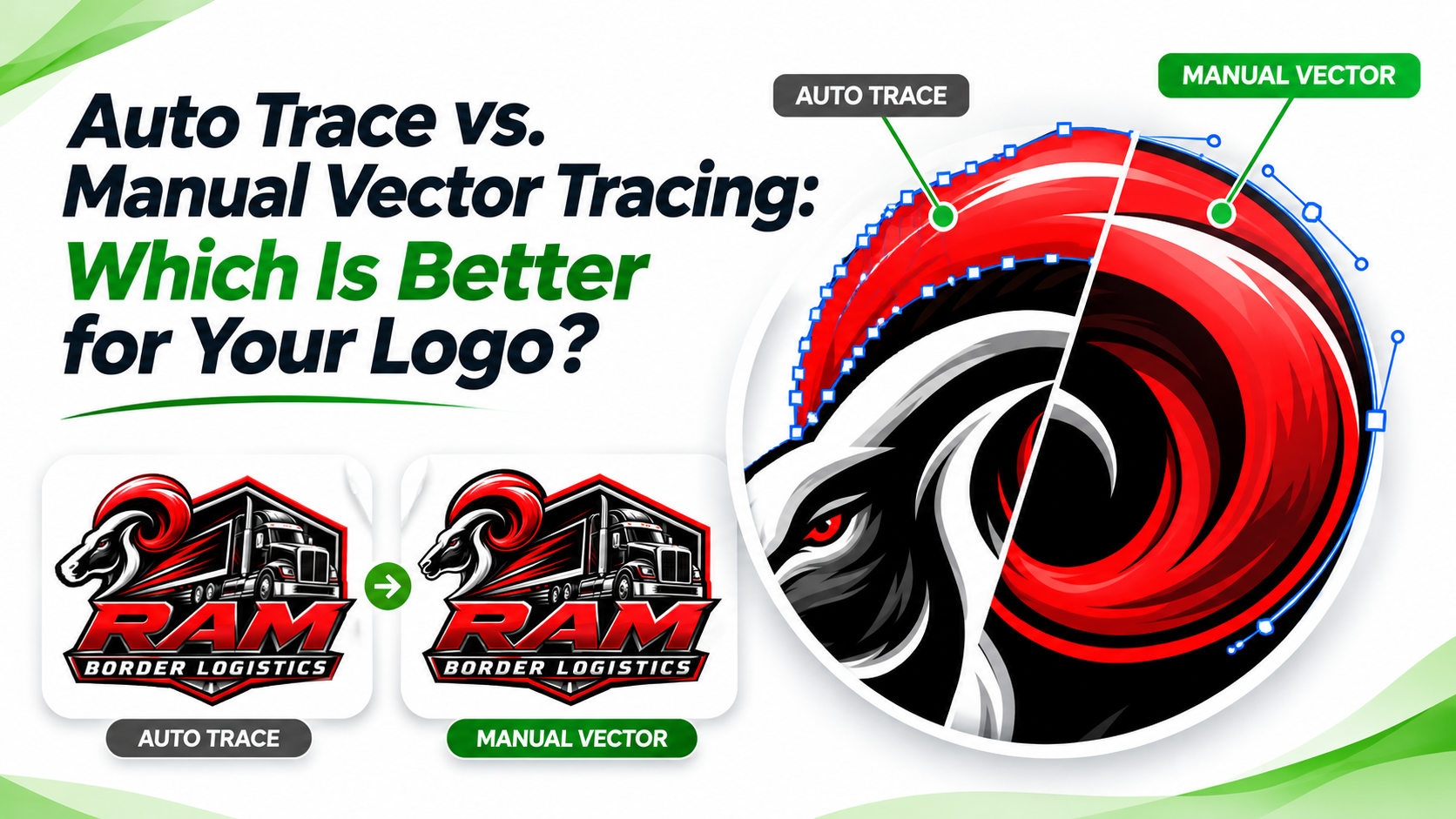
If you need the logo to be exact and know where you'll be using it then the decision to manually trace a vector or auto trace comes into play. Auto trace is fast to make vector paths, while hand tracing gives the designer more control over precise shapes and curves.
If the icon is simple and high contrast you'll have a usable output from automatic tracing in minutes. For a detailed company logo destined for embroidery, vehicle wraps, or large-format printing, manual redraw often provides a more reliable foundation.
Both methods have advantages, and neither is automatically the right choice for every project.
This guide compares their quality, speed, cost, editing requirements, and production performance so you can choose the right approach for your logo.
Manual Vector Tracing vs Auto Trace: What Is the Difference?
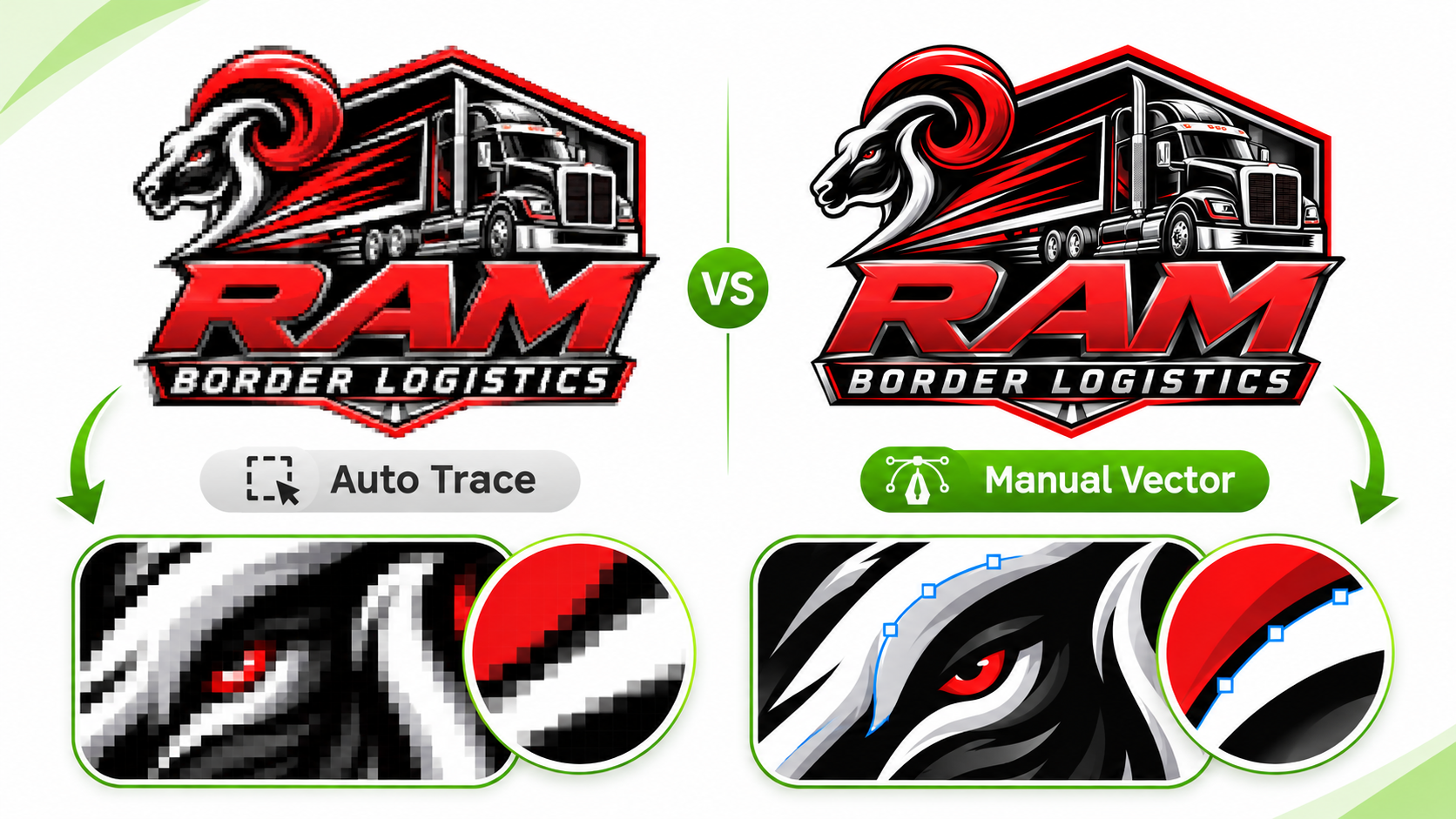
Auto tracing uses software to find shapes and turn them into vector pathways. With manual vector tracing, the designer can recreate those forms by hand, giving the artist more control over the finished artwork.
Both methods can output vector files, but the correctness, cleanliness and usability of the resulting paths may vary widely.
Vector graphics are descriptions of artwork in terms of mathematical paths , not a set pixel grid . Scalable Vector Graphics (SVG) are scalable and displayable at different resolutions as described in the World Wide Web Consortium's SVG specification.
However, saving a traced image as SVG does not automatically make its shapes accurate or its paths easy to edit.
How Does Auto Trace Work?
Auto trace takes a raster picture (JPG, PNG, etc.) and detects the edges between colors or contrasting areas. Then it constructs vector pathways that approximate the boundaries.
This can be done with products like Adobe Illustrator’s Image Trace, or Inkscape’s Trace Bitmap.
As the official Image Trace documentation from Adobe states, you can alter the tracing presets and settings to alter the final vector artwork.
The overall flow is simple:
- Upload original JPG or PNG
- Choose a suitable tracing configuration.
- Tweak colors, thresholds and other parameters.
- Construct the vector of paths
The best source photographs for auto tracing are those with strong contrast, clearly defined edges and basic forms in general. Complex artwork is a lot of cleanup to turn.
How Does Manual Vector Tracing Work?
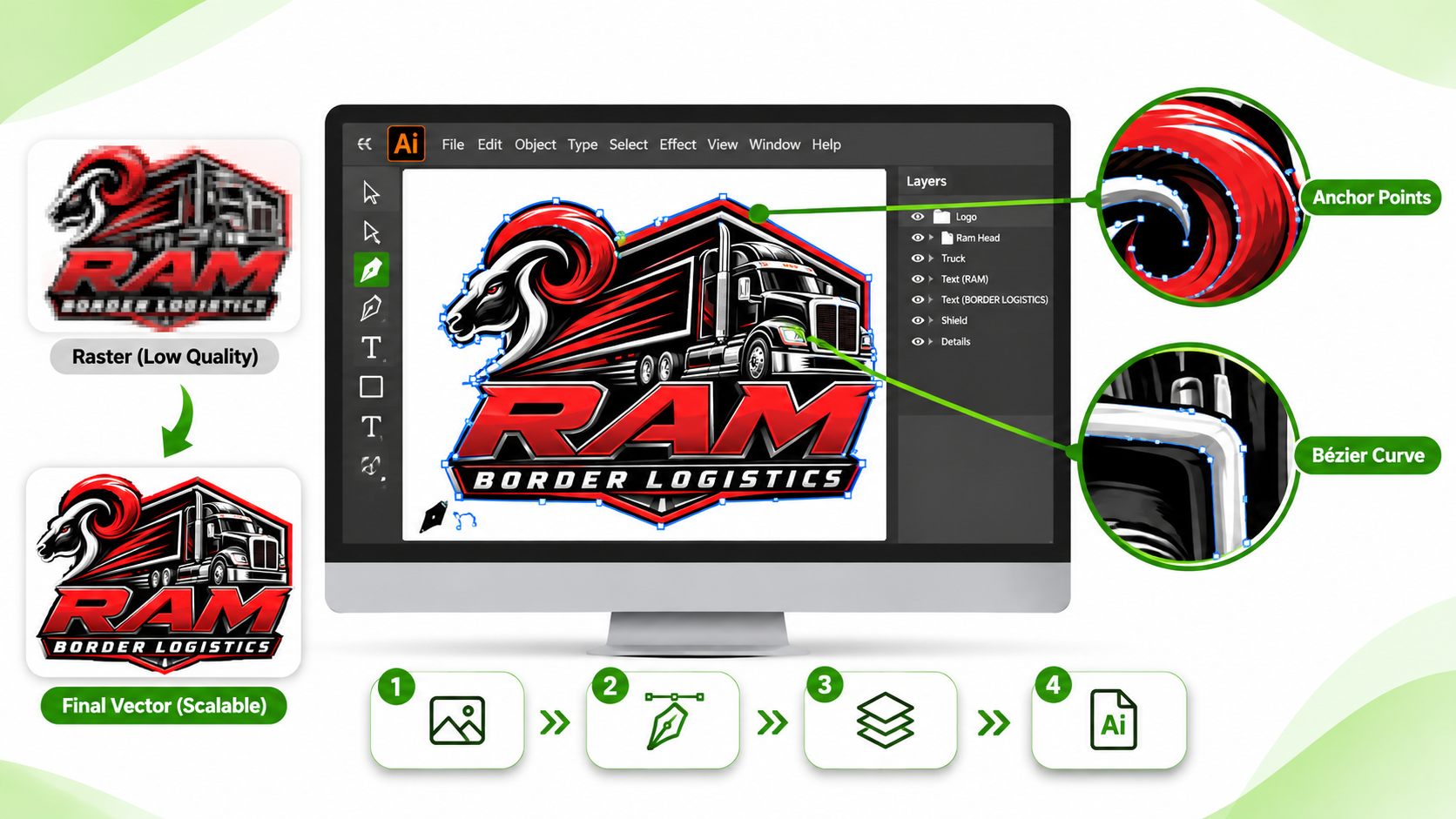
Manually tracing vectors means that you reconstruct the graphics by drawing and altering individual curves, lines and shapes.
In most cases a designer will use the Pen tool and other drawing tools within vector software like Adobe Illustrator. Rather than taking every boundary the software detects, the designer decides where paths start, stop and turn.
One way would be common:
- Check the source image and find important details.
- Reconstruction of main shapes and outlines.
- Refining lines, corners & space.
- Matching Color and Proportion.
- Checking artwork on different scale.
- Exporting and preparing files for use.
For example, a designer redrawing a circular logo can use precisely controlled curves to maintain the same smooth profile. You can also modify the small letterforms to maintain the same proportions as before.
This level of control is needed sometimes and we have a service called Manual Vector Tracing to offer. This service is dedicated to the hand recreation of logos and artwork into editable vector files.
Auto Trace vs Manual Vector Tracing: Side-by-Side Comparison
The largest discrepancies become apparent when you compare each method’s performance against practical production demands.
Production Preparation
| Comparison Factor | Auto Trace | Manual Vector Tracing |
|---|---|---|
| Initial Processing | Often very rapid | Requires more time to draw |
| Path Accuracy | Depends on quality of sources and settings | Allows for intentional shape manipulation |
| Curve Quality | May include unnecessary points | Individual adjustment of curves |
| Small Details | May misread subtle features | Details can be selectively reconstructed |
| Editing | Complex traces can be hard to handle | Paths are grouped for easier editing |
| Simple artwork | Often effective | Can be more work than necessary |
| Complex logos | May require extensive cleanup | Offers greater control over reconstruction |
| Production Preperation | Requires verification and possible amendments | Flexible to production demands |
| Initial Cost | Often low with present software | More labor usually included |
Neither method is a guaranty of perfect results. An expert designer can improve an automatic trace, but a hand redraw may still contain errors if the reference is not clear or the artwork is carelessly re-created.
Which one is right depends on how closely the final artwork needs to mirror the original and what the receiving printer or manufacturer needs.
Which Method Produces Better Logo Quality?
Manual vector tracing is frequently the best solution for logos that require perfect curves, uniform spacing, organic details, and reliable replication. Auto trace can produce excellent results for simple, high-contrast graphics.
The difference is not simply whether the result looks acceptable on a computer screen. It is also whether the artwork remains clean when enlarged, edited, or prepared for production.
Path Accuracy and Smooth Curves
A vector path is a line or curve that defines the boundary of a shape. Anchor points and control handles determine how that path behaves.
Automatic tracing may create numerous anchor points to follow irregular pixel boundaries. This can result in jagged curves and small distortions, especially with letters, circles and intricate designs.
Manual tracing allows the designer to use less points if needed, yet better placed. This can lead to easier change and control of the outcome.
Fine Details and Typography
Logos generally have delicate gaps, distinctive letterforms, tiny symbols and perfect balanced proportions.
Picture a company logo, a stylized A with a teeny tiny triangular hole in it. If the original image is fuzzy, the automatic tracing may result in a deformed opening or uneven edges.
A manual redrawing gives the designer the opportunity to reconstruct the opening, change the silhouette of the letter and retain the original proportions.
But the original typeface or design may no longer exist. Under these circumstances, the designer needs to consider the reference carefully and not assume all aspects can be reproduced correctly.
Color and Shape Consistency
Sometimes automatic tracing can mistake small differences in a picture for different colors or shapes. This can create needless objects, especially in artwork with shadows, compression artifacts or gradients.
When you trace manually it provides the designer more control over which shapes and colors make it into the final artwork.
This is important when a logo needs to be consistent with an existing company identity across packaging, signs, uniforms and marketing materials.
Why Does the Choice Matter for Print and Production?
A vector file can look clean on screen and still require corrections before manufacturing. Production partners need artwork that suits their specific equipment and process.
The intended application should therefore influence how the logo is traced and checked.
Embroidery and Apparel
Embroidery digitizers use artwork to create stitch instructions for machines. Tiny gaps, tiny lines and sophisticated features may not make for good stitching.
Manual redraw might aid prior to digitization for details not suited and needing simplification or clarification of the shapes. However, the vector file itself does not substitute embroidery digitizing and its manufacturing specific requirements.
Signage and Vehicle Wraps
Large prints and vinyl cutting might show out flaws that are hard to see at lesser sizes.
An example might be a traced logo that has little bumps along a curving letter or overlapping shapes along the border. These faults could translate into more cleanup for a signmaker or vinyl cutter operator.
Such difficulties can be minimized by a well prepared hand redraw that refines the curves and removes extraneous path points.
Screen Printing and Packaging
Screen printing typically needs artwork split into the correct colors. Packaging could also call for clear shapes, precise outlines and consistent brand colors.
Manual tracing allows a designer to have more control over specific color patches and shapes that overlap. The last file needs to conform to the standards of the print supplier.
For enterprises that interact with these applications, our manual vector tracing solution is focused on providing editable artwork for print and production workflows.
When Should You Choose Auto Trace?
Auto tracing works fine for relatively simple images where small inexactnesses won’t affect the final result.
Think about utilizing it if:
- Need a quick draft for an internal presentation?
- The art is solid color shape. Simple.
- You are tracing a simple icon with clean lines.
- The source image is nicely resolved and has great contrast.
- You have the time and the skills to mend the paths that come out of them.
- The end use does not require high fidelity replication.
For example, black silhouettes on white backgrounds are easily traceable with little tweaking.
In Inkscape, there are a few different algorithms for tracing bitmaps. You might try altering parameters in the tutorial to see how the outcome changes.
Examine the outlines and remove any shapes you don’t like. Also, be sure the artwork is scaled as desired before accepting the result.
When Should You Choose Manual Vector Tracing?
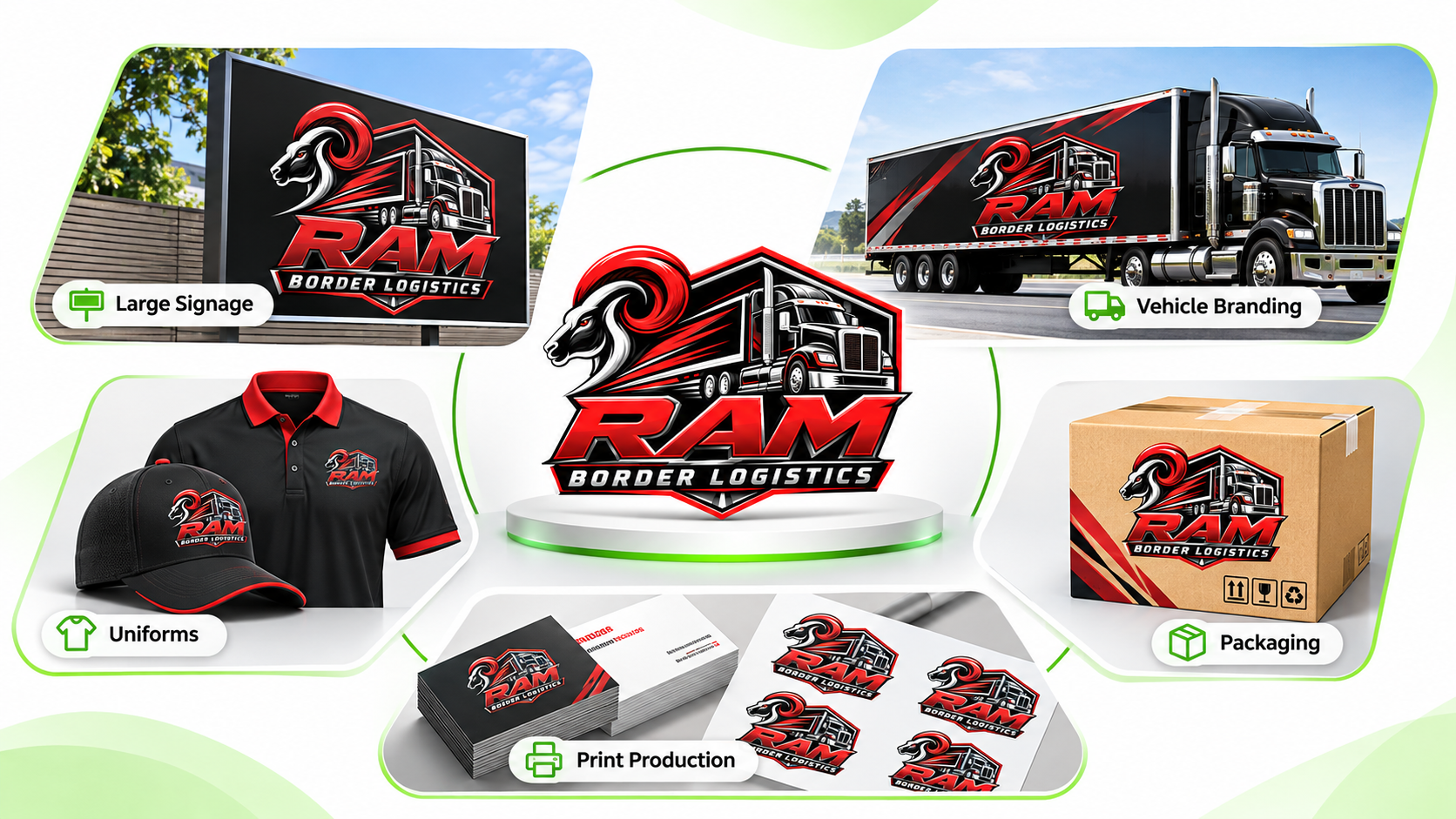
If your logo needs to represent your business professionally or has special production requirements, then manual vector tracing is the better choice.
Manual Tracing Considerations When:
- Your original logo lives only as a blurry JPG, PNG or snapshot.
- The design has intricate text, symbols or overlapping elements.
- You want clear, editable pathways that you can work on later.
- The logo will be used on large signage, vehicle wraps, uniforms or packaging.
- A prior traced file was rejected by your printer or manufacturer.
- You need a professional master logo for several uses.
A business may, for example, have a modest logo borrowed from an old website. The image is good in its original size, but it seems pixelated when you see it at a large display stand.
Doing the artwork again, by hand, can provide you a cleaner, scalable artwork to use in the future. If the source is especially weak, some details could need informed interpretation or approval.
Manual vector tracing is specialized for this kind of reconstruction. Review the service and receive an estimate based on your artwork and manufacturing requirements.
How Can You Check Whether a Vector Logo Is Production-Ready?
Use any tracing method you like, but make sure you inspect the final artwork before approving it. The file extension doesn't mean the paths are clean, or the design is production ready.
Here is a checklist to follow:
- See outlines here: Look for sharp corners, kinked edges, irregular curves.
- See Details: Letters, symbols and micro-holes are compared to the allowable reference
- Anchor points - 4. Health check I have got the operation details, the method of operation and the details of the operation.
- Look for forms that overlap Watch out for undesired gaps, duplicate entries and unexpected overlap
- Check Colors: Verify artwork against approved brand colors and production provider specifications.
- Try a few sizes on. See the logo in the size it will be used at and larger sizes.
- Check file type: AI EPS SVG PDF
- Ask the producing partner: Please confirm any special demands for cutting, printing, embroidery or other production process.
Do not utilize a flattened preview. Download the editable source file for professional use.
Is Manual Vector Tracing Worth the Extra Cost?
Manual vector tracing is worth the extra expense if fixing a bad trace would take more time or pose more production risks than contracting a clean redraw. Auto trace is often sufficient for simple graphics that need little correction.
Your actual cost depends on artwork complexity, the number of details, the quality of the reference image, and the required delivery formats.
| Situation | Recommend Approach |
|---|---|
| Simple icon for internal use | Auto trace |
| Basic, high-contrast logo | Auto trace with inspection |
| Detailed company logo | Manual tracing |
| Logo for large-format production | Manual tracking when precision is important |
| Previously rejected vector file | Inspect first; manually redraw if necessary |
| Complex illustrations with many colors | Test automatic tracking before deciding whether manual reconstruction is more suitable |
Consider the full cost, not just the initial price. If a cheap trace needs repeated corrections, delays production, or requires a designer to rebuild most of the paths, the apparent saving may disappear.
The best solution is the one that satisfies the actual needs with an acceptable amount of effort and risk.
Final Verdict
Auto tracing is typically the realistic starting point for simple graphics and rapid sketches. It's fast, easy-to-use and if the input image is adequate it can generate usable vector routes.
Manual vector tracing is usually the best option for critical brand assets, complex designs, and production work that requires accurate shapes. This allows the designer more control over the end geometry, spacing and details.
The important thing is to judge the end product, not to assume that either approach is guaranteed to be good.
Visit the Manual Vector Tracing to discover the services provided and obtain a quote.
Frequently Asked Questions
Is manual vector tracing better than auto trace?
Hand tracing with vectors is usually better for elaborate logos that need clear lines, exact curves and artwork that is ready to go. Auto tracing works well for simple images with crisp lines.
Can auto trace create a professional logo?
Yes. Auto tracing can provide professional appearing results, if the source image is clear and the design is straightforward. More intricate artwork may need to be hand corrected before it can be used.
Does auto trace reduce image quality?
Auto tracing isn't just making the original pixels bigger. It constructs pathways from the image but those paths could approximate or distort delicate detail. The quality is dependent on the source image, settings and cleanup.
Can I convert a JPG logo to a vector without redrawing it manually?
That’s right. Vector tracing software can automatically transform JPG logos to vector paths. If the outcome has warped letters, uneven curves or undesired shapes, then a manual refining may be necessary.
Which vector file format should I request for printing?
Check with your printer what format it wants. All of these file types can have a place depending on the workflow and how the artwork is built. But changing the file format alone doesn’t mean it would work for production.
How do I know if my vector logo has too many anchor points?
Zoom in and look at the curves. If the path has too many bumps or is difficult to edit you may need to simplify the path. Reducing anchor points should maintain the intended shape and not distort it.
Can manual vector tracing recover details from a blurry logo?
You can redraw things by hand to restore a recognizable form and enhance the outlines, but there is no way to ensure that information completely missing from the source will be restored. Unclear elements may need a better reference or approval of the reconstructed design.
Need a clean, print-ready vector file?
Get a Free Quote