Artwork cleanup
AI-Generated Artwork Cleanup & Vectorization
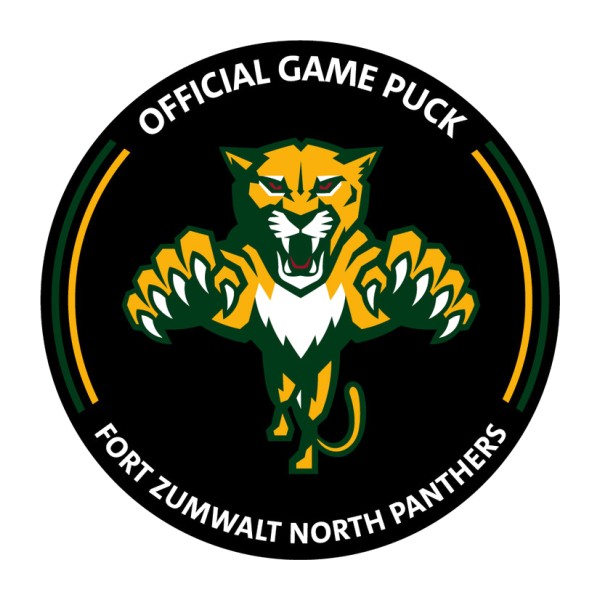
Have generated artwork that looks right but is not clean, editable, or ready to manufacture? We manually clean, reconstruct, and vectorize it in Adobe Illustrator for professional use.
- Manual cleanup
- No auto-trace
- Editable paths
- Prepared for production
Who this is for
Logos have their own page. This one is for the rest of the artwork: illustrations, icons, graphics, and other raster files that need a proper vector.
How cleanup and vectorization works
We start from your raster reference and finish with paths that can be edited and produced.
-
1
Your artwork
PNG, JPG, screenshot, or other raster reference.
-
2
Artwork analysis
Artifacts, type issues, and production limits are identified.
-
3
Manual reconstruction
Important shapes are rebuilt in Adobe Illustrator.
-
4
Clean vector
Accurate, editable, scalable paths.
-
5
Production prep
The file is arranged for the use you specified.
Problems we clean up
Low resolution
The image softens as soon as it is enlarged.
Generated artifacts
Extra objects and visual noise that should not be in the file.
Uneven curves
Shapes that almost match, but not quite.
Distorted type
Lettering that cannot be edited as text.
Raster only
No source file a production team can open and change.
Not production-ready
Unsuitable for print, signage, apparel, or packaging as-is.
What we can do
- Remove artifacts and inconsistent details
- Reconstruct shapes by hand
- Refine or redraw typography
- Correct proportion, curves, and alignment
- Simplify artwork when production needs fewer pieces
- Deliver vector files and previews
Deliverables
 AI
AI EPS
EPS SVG
SVG PDF
PDF PNG
PNG JPG
JPGWhere it gets used
- Print and marketing materials
- Packaging and labels
- Signage, large format, and vehicle graphics
- T-shirts, DTF, and screen printing
- Embroidery preparation
- Web and digital branding
Generated artwork is not always production-ready
An impressive image can still be hard to edit or manufacture. Cleanup and vector reconstruction close that gap. The picture can come from a generator; the file we deliver is drawn by a person.
Auto trace vs manual cleanup
Auto trace versus a manual cleanup and vectorization of generated artwork
Auto trace / raster art
PNG or JPG at a fixed size
Pixels and leftover artifacts
Limited editing
Not always production-ready
Recommended
Manual vector artwork
AI, EPS, SVG, and PDF
Editable paths and clean geometry
Easier to customize
Prepared for the intended use
Pricing
The same starting packages as our manual vector tracing work. Final price follows how detailed the artwork is and what production needs.
Basic
From $35
Simple graphics and icons
Get a Free QuoteStandard
From $75
Multi-element artwork
Get a Free QuotePremium
Custom
Complex illustrations
Get a Free QuoteQuestions
View all FAQs +Can you clean up AI-generated artwork?
Yes. We remove the parts that should not be produced and rebuild the rest as vector paths.
Can you convert AI-generated artwork to vector?
Yes. Conversion is manual. An automatic trace is not the file you receive.
What if I only have a PNG or JPG?
Send it. Add a short note about what to keep, what to remove, and how the art will be used.
Can you remove artifacts or fix shapes and type?
Yes. That cleanup is part of the reconstruction, including lettering that the image distorted.
Will the final artwork be editable?
Yes. The Illustrator file is the working source, with production formats exported from it.
Which vector formats will I receive?
AI, EPS, SVG, and PDF, with PNG and JPG previews. CDR is available on request.
Can you prepare it for print, apparel, signage, or embroidery?
Yes. Tell us the process on the quote form so the artwork is structured for it.
Can you preserve the original design?
Yes. The job is to keep the design you chose and make it clean enough to edit and manufacture.
Related services
Send the artwork for a free quote
Upload the file and tell us what should be cleaned, rebuilt, or prepared. We review it before any paid work starts.