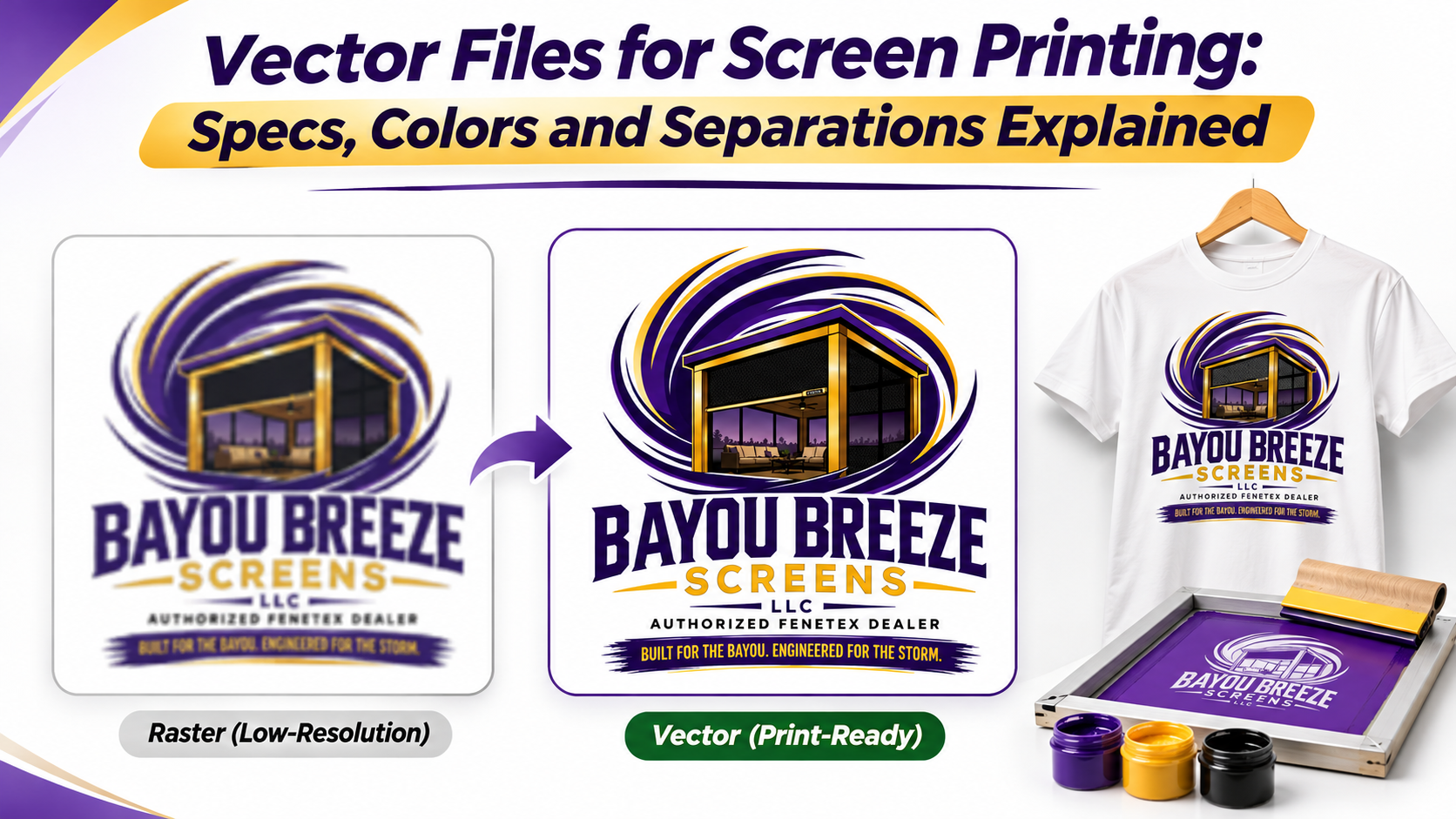
Your customer sends a logo for screen printing. It looks perfectly fine on their phone, but when you open the file, the edges are blurry, the lettering is pixelated and there's no editable artwork behind it.
Can you use that file for printing or does it need to be converted into vector artwork first?
Vector files are often preferred for screen printing because they provide scalable, editable shapes that can be prepared for individual ink colors. However, not every screen-printing design requires vector artwork and having a vector file doesn't automatically make a design ready for production.
The right file depends on the artwork, printing method, garment, and printer's specifications. This guide explains when vector files are useful, how ink colors and separations affect artwork preparation, and what to send your screen printer before production begins.
Do Screen Printers Need Vector Files?
Screen printers don't always require vector files, but they are particularly useful for logos, typography, illustrations and designs containing clearly defined shapes.
Unlike digital printing, conventional screen printing generally uses prepared screens to transfer individual inks onto a surface.
For simple graphics, editable vector artwork makes it easier to identify shapes, adjust dimensions, and prepare the design for specific ink colors.
For example, imagine a clothing brand wants its two-color logo printed on several T-shirts.
If the artwork contains clean vector paths, the printing team can examine the individual elements and determine what additional preparation is needed.
If the customer only supplies a small screenshot, the logo may require reconstruction before it can be used effectively.
The important point is that vector artwork supports screen-printing preparation, but the printer determines the final production requirements.
Vector Artwork vs. Raster Artwork for Screen Printing
Vector and raster graphics represent artwork differently.
Vector artwork uses mathematical paths, curves, and shapes. These elements can be resized without becoming pixelated.
Raster artwork uses pixels. Its suitability depends on the image resolution and intended print dimensions.
Common vector-capable formats include AI, EPS, SVG, and PDF. Common raster formats include JPG, PNG, and TIFF.
| Feature |
Vector artwork |
Raster artwork |
| Construction |
Paths and shapes |
Pixels |
| Scalability |
Shapes remain sharp when scaled |
Dependent on effective resolution |
| Editing |
Individual elements can be modified |
Editing may be more limited |
| Solid-color logos |
Often a useful choice |
May require cleanup or sufficient resolution |
| Photographic designs |
Not always practical |
Often suitable with proper preparation |
A file extension alone doesn't guarantee genuine vector artwork. For example, a PDF can contain only an embedded JPG, and an SVG can contain raster images.
For a more detailed explanation of vector construction, read our What Is Vector Tracing? guide.
Why Ink Colors and Color Separations Matter
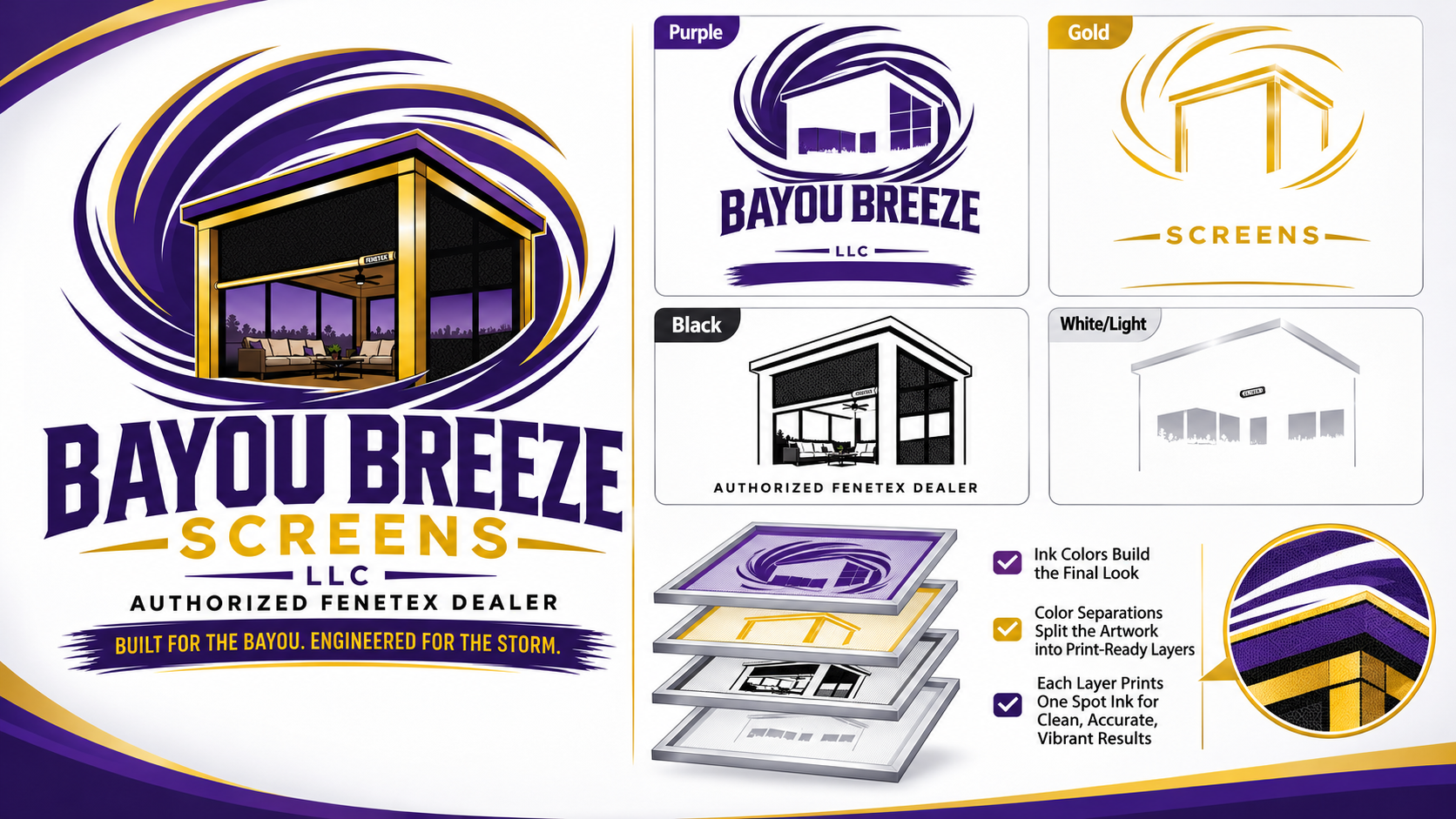
Color preparation is an important part of screen-printing artwork.
In conventional spot-color screen printing, different inks are generally prepared as separate printing components.
For example, a logo containing red, white, and blue areas may require those colors to be identified and organized separately.
This process is known as color separation.
However, the number of visible colors doesn't always equal the final number of printing screens. Under bases, specialty inks, tonal artwork, and other production considerations can affect the setup.
Different artwork may also require different separation methods:
- Spot-color printing: Uses individually specified inks, often for logos and solid-color graphics.
- CMYK process printing: Uses cyan, magenta, yellow, and black process inks to reproduce a range of colors.
- Simulated-process printing: Uses selected ink colors and tonal separations to reproduce complex artwork.
The appropriate method depends on the design and the printer's process.
A vector file doesn't automatically contain production-approved color separations. Additional preparation may be required.
Spot-Color Artwork and Printer Specifications
Spot-color artwork is especially useful when a business needs specific logo colors reproduced consistently.
For example, a company may require its approved green and white logo to be used on branded apparel.
An artwork designer can organize the vector shapes according to those designated colors.
However, exact production requirements vary between screen-printing providers.
The printer may need to confirm:
- Approved ink colors.
- Intended print dimensions.
- Garment color and material.
- Whether a white under base is required.
- Whether fine details are reproducible.
- Required file formats and separation methods.
A dark garment may require different preparation from a light garment, but not every dark garment needs the same under base arrangement.
Likewise, halftone settings, mesh selection, minimum line widths, and trapping requirements depend on the printing process.
These technical decisions should be confirmed by the screen printer or experienced prepress team rather than assumed during vector conversion.
Practical example: For a red-and-white logo on a black T-shirt, the printer may request separate red and white ink artwork and, depending on the ink system and opacity needs, an additional white under base. The original vector shapes help organize the design, but the printer or prepress team must approve the final separations.
Screen-Printing Artwork Specifications to Confirm
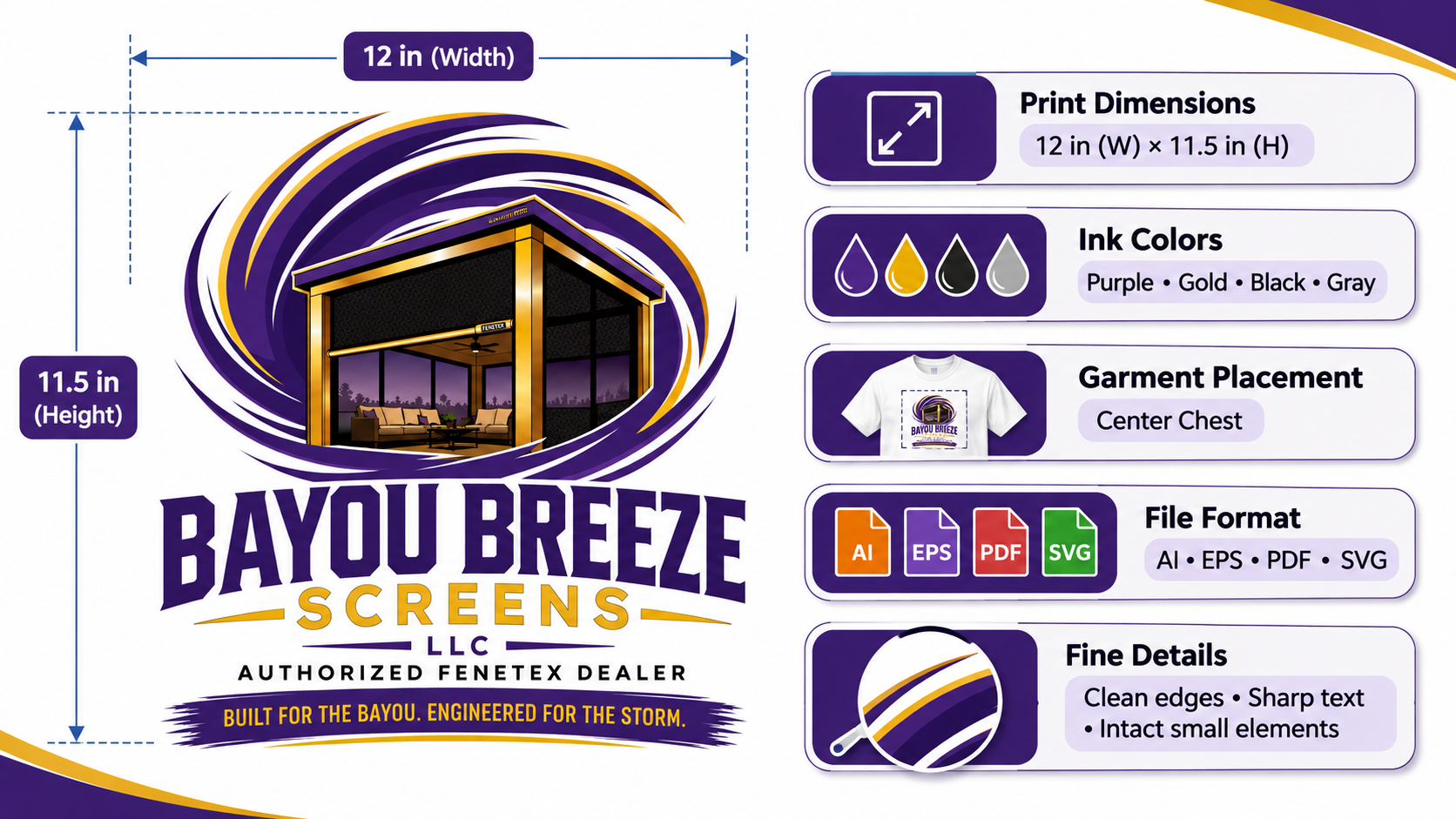
There is no single specification sheet that applies to every print shop. Before artwork preparation begins, confirm the following requirements with the receiving printer:
| Specification |
Confirm with the print shop |
| File format |
Accepted AI, EPS, vector PDF or other compatible files. |
| Final print size |
Artwork width, height, placement and print orientation. |
| Raster resolution |
Effective pixel resolution at the final print size, if raster elements are used. |
| Ink colors |
Approved ink count and individual color references or swatches. |
| White under base |
Whether an under base is necessary and who will prepare it. |
| Fine details |
Minimum printable lines, small type and negative spaces. |
| Halftones and trapping |
Printer-approved separation settings and any required registration allowance. |
| Production separations |
Whether separations are needed and whether the shop or artwork provider will supply them. |
Production note: The final number of screens or ink passes may differ from the number of visible design colors. Never assume that vector conversion alone provides press-ready separations.
For broader production artwork considerations, see our Print-Ready Vector Artwork service.
When Raster Artwork May Still Be Suitable
Not every screen-printing project requires a vector conversion.
Raster artwork can be suitable for photographs, detailed textures, gradients, and other tonal graphics.
For example, a photographic T-shirt design may be prepared using raster-based color separations and halftones.
The artwork's effective resolution at the intended print size is important in these situations.
A high-quality raster file may work well, while a small, compressed image may not contain enough information for the required output.
Raster suitability also depends on the printer's equipment and separation workflow.
Before paying for vector reconstruction, ask whether your existing artwork meets the printer's specifications.
If the design contains photographic details, converting every element into vector paths may be unnecessary or impractical.
What to Send Your Screen Printer or Artwork-Preparation Partner
Providing the correct information at the beginning can make artwork preparation more straightforward.
Before submitting a design, use this checklist.
Original artwork
- Best available JPG, PNG, PDF or vector source.
- Approved logo or design reference.
- Correct lettering and brand colors.
Printing information
- Intended print size and placement.
- Garment color and material.
- Number of intended colors, if known.
- Printer-specific artwork instructions.
File requirements
- Accepted formats, such as AI, EPS, SVG, or vector PDF.
- Whether color separations are required.
- Whether additional prepress preparation is needed.
- Who will approve the final production artwork.
For example, if you're submitting a red-and-white logo for a black hoodie, tell the artwork provider whether the printer has specified additional ink layers.
Avoid assuming that every job requires identical preparation.
When Manual Vector Redraw Is Useful
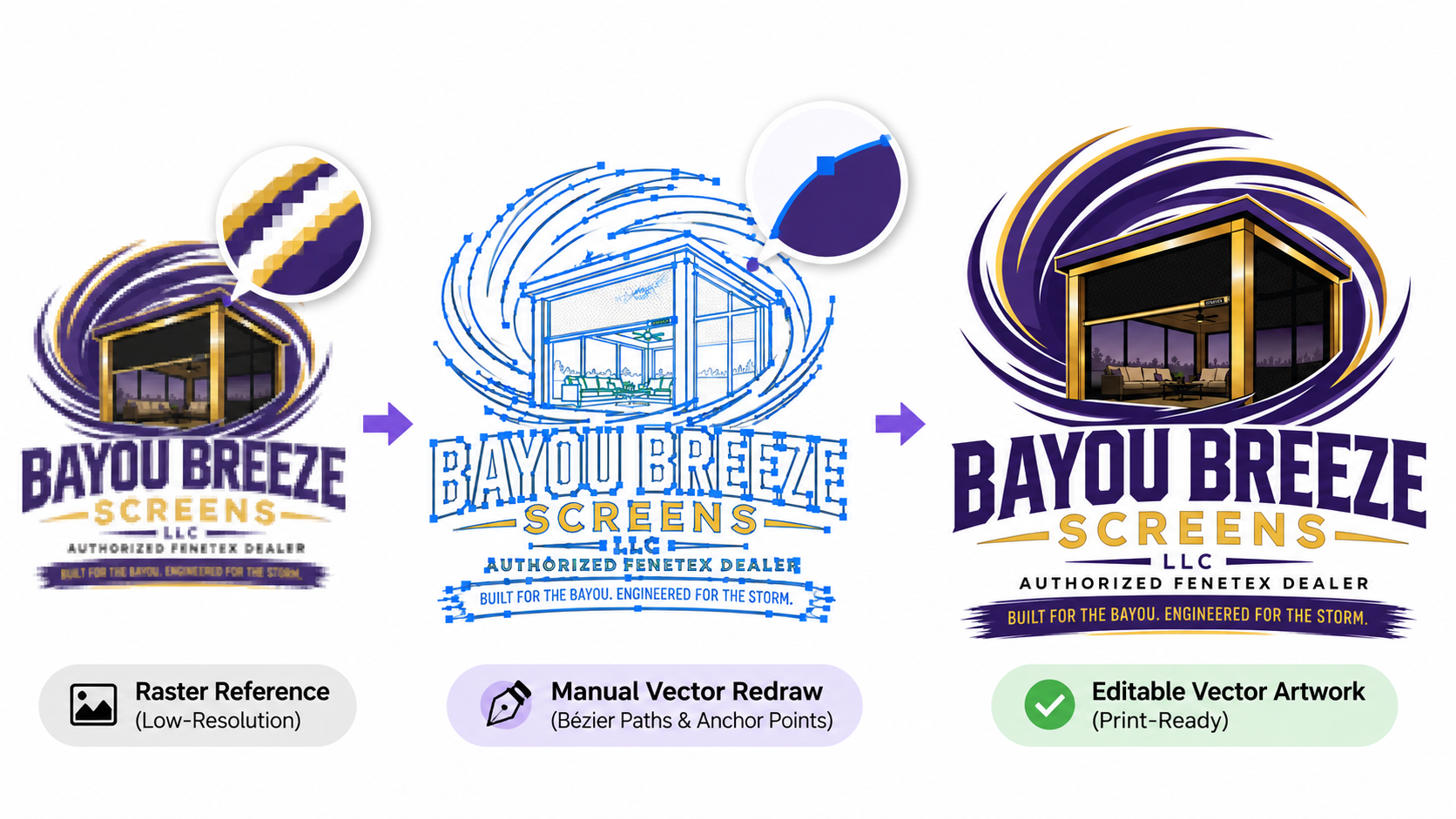
Screen-printing businesses frequently receive customer artwork that was never prepared for professional production.
A customer may send a small website logo, blurry screenshot, or compressed JPG without an editable vector source.
Automatic tracing may be sufficient for some simple graphics, but complicated lettering and irregular shapes can require additional cleanup.
Manual vector redrawing gives the designer direct control over the reconstruction.
Using Adobe Illustrator, a designer can rebuild:
- Logo shapes and outlines.
- Custom lettering and spacing.
- Curves and geometric elements.
- Approved color areas.
- Important small details.
The goal is to preserve the original approved design while creating clean, editable vector paths.
At ManualVectorTracing.com, we specialize in 100% manual vector recreation using Adobe Illustrator.
Our screen-printing vector artwork service can include spot-color artwork and agreed color separation work, depending on the design and the printer’s specifications.
We prepare artwork for print shops and apparel businesses; we do not physically screen print garments.
Frequently Asked Questions
Do I need a vector file for screen printing?
Not always. Vector files are particularly useful for logos, lettering, and solid-color graphics. Some photographic or tonal designs can use suitable raster artwork.
Can screen printers use a PNG or JPG?
Yes, depending on image quality, print dimensions, and the printer's workflow. Low-resolution logos may require vector reconstruction.
Does a vector file automatically include color separations?
No. A vector file contains editable artwork, but additional color separation may be required according to the printing method.
Which file formats should I ask my printer to accept?
Ask whether the printer accepts AI, EPS, SVG or vector-based PDF. The preferred format depends on the provider's equipment and software.
What resolution should raster artwork have for screen printing?
The required effective resolution depends on the image, final print dimensions and separation method. Ask the print shop for its target resolution at the actual print size rather than relying only on the number shown in a file’s metadata. High-resolution raster artwork may be appropriate for photographs or tonal designs.
Does every visible ink color require a separate screen?
In conventional spot-color screen printing, individual inks are generally prepared for separate screens. However, an under base, specialty ink, process separations or other production decisions can change the total screen count. The printer should confirm the final separation plan.
Does ManualVectorTracing.com physically screen print garments?
No. We provide manual vector artwork reconstruction and agreed artwork-preparation services for screen-printing providers and their customers.
Final Thoughts
Vector artwork plays an important role in many screen-printing workflows, especially for logos, lettering and solid-color designs. However, a genuine vector file is only one part of preparing artwork for production. Ink colors, separations, garment details and printer specifications must also be considered. The best approach is to start with clean artwork and confirm exactly what your screen printer needs.
Need Vector Artwork Prepared for Screen Printing?
Have a blurry logo, low-resolution graphic, or customer design that needs to be recreated?
At ManualVectorTracing.com, we manually rebuild existing artwork into clean, editable vector files using Adobe Illustrator.
Send us your current design and your printer's specifications. We'll review the artwork and provide a free quote based on your requirements.
View Our Screen-Printing Vector Artwork Service | Get a Free Quote
Need a clean, print-ready vector file?
Get a Free Quote