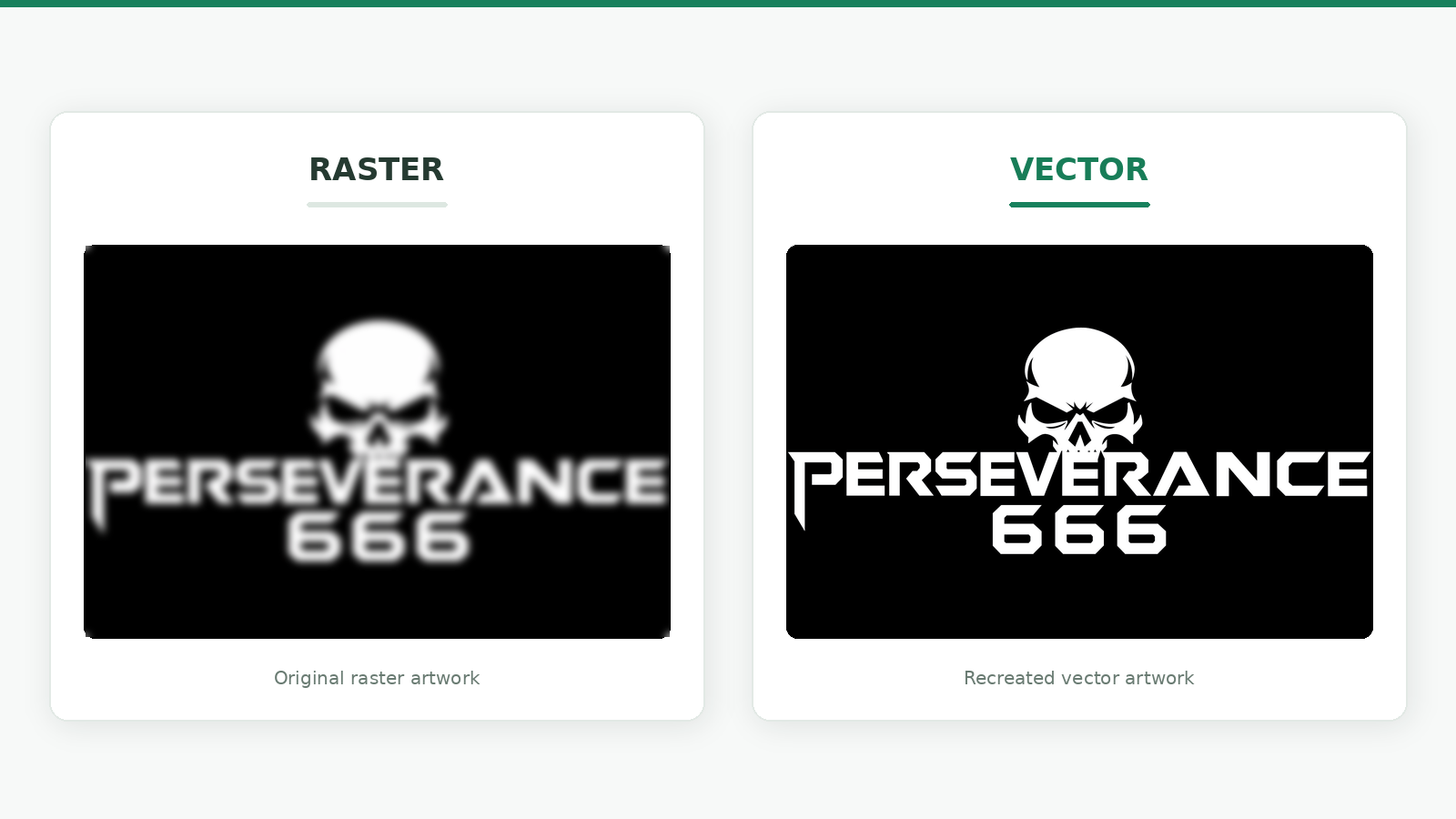
Vector tracing is the method of transforming a raster image into vector artwork by using customizable paths, lines, curves and forms. It lets you to convert a fuzzy logo, a scanned design, or a low-res graphic into artwork that remains sharp when scaled up.
This step is vital when you have to print a logo on a big banner, embroider it on the clothes, or develop a design for the cutting machine. These apps might not be precise enough with a little JPG or PNG file. Understanding how vector tracing works helps you choose between automatic conversion and manual redrawing.
This post will teach you how vector tracing works, the difference between vector and raster graphics, where businesses use traced artwork, and when it’s a smart idea to hire a specialist.
What Is Vector Tracing?
Vector tracing is the process of taking an existing image, and making it out of a collection of vector paths and shapes. Instead of being connected to a certain grid of pixels, they are described mathematically, which allows the artwork to scale without being pixelated.
Say you have a company logo saved as a little JPG file. If you enlarge it , the lettering may look fuzzy or pixelated . Vector tracing is the act of replicating the borders, forms and colors of the logo as editable vector elements.
Depending on the project needs, the outcome can be saved as an Adobe Illustrator (AI), Encapsulated PostScript (EPS), Scalable Vector Graphics (SVG) or Portable Document Format (PDF).
The World Wide Web Consortium's SVG specification describes how to employ vector graphics to generate visual elements that scale, such as paths, shapes and text.
Vector tracing does not automatically recover every missing information in a bad image quality. The professional may have to interpret uncertain sections and reconstruct them with the given reference.
Raster vs. Vector Graphics: What Is the Difference?
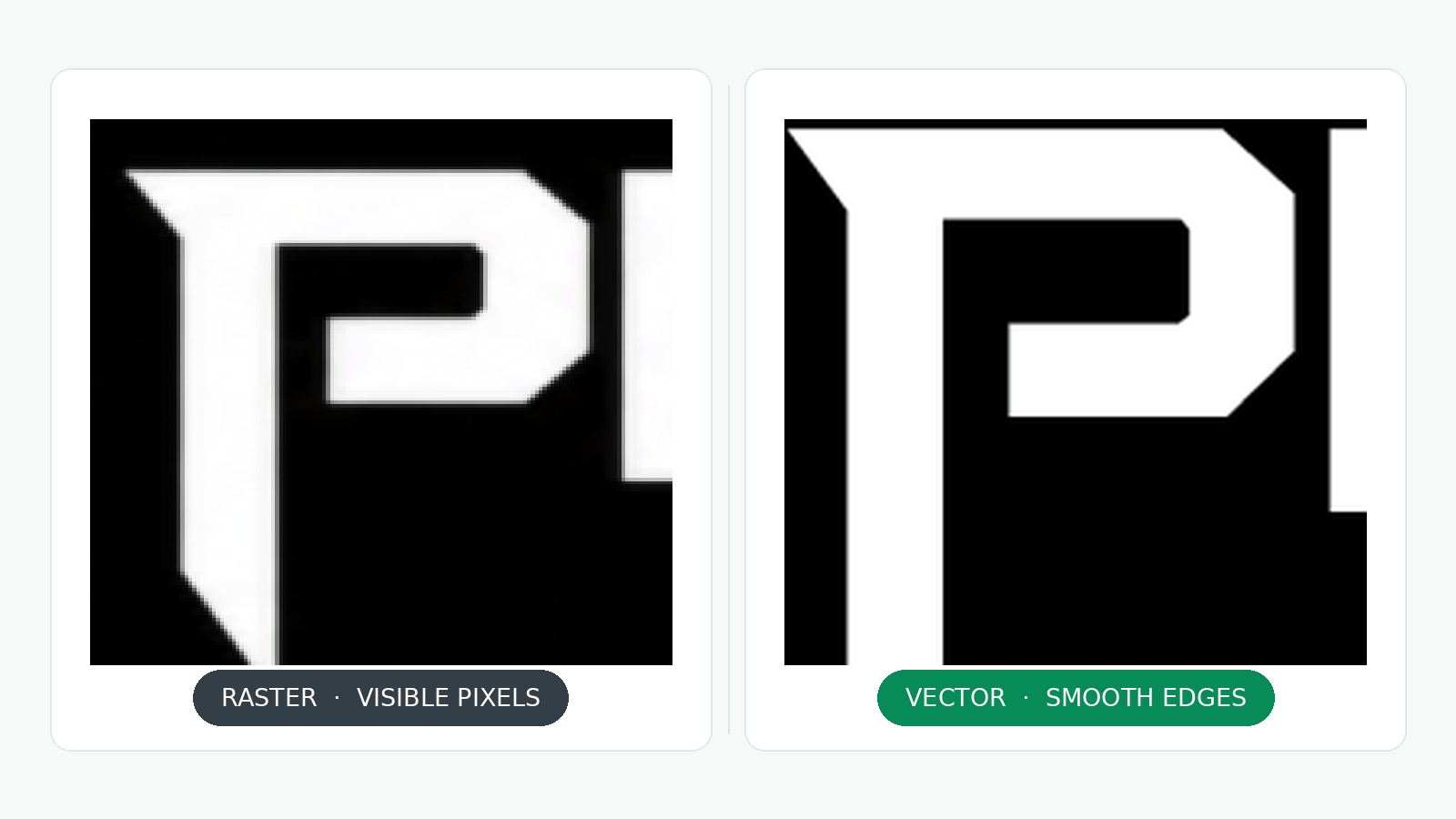
Raster graphics are one kind of graphics image. Vector graphics are another kind of graphics image. Knowing the difference helps explain why vector tracing is so valuable for many business and production applications.
Raster images are composed of pixels, while vector graphics are based on mathematically specified shapes, lines and curves.
Adobe's reference to raster and vector files explains that raster graphics are resolution-dependent and made up of pixels, whereas vector artwork is made up of scalable forms.
Neither format is inherently superior. Photographs are usually raster pictures due to the complexity of color fluctuations and textures. Logos, symbols and clean images frequently perform well in vector formats.
If you want to transform appropriate raster art to editable art for further use at different sizes and applications, vector tracing is handy.
How Does Vector Tracing Work?
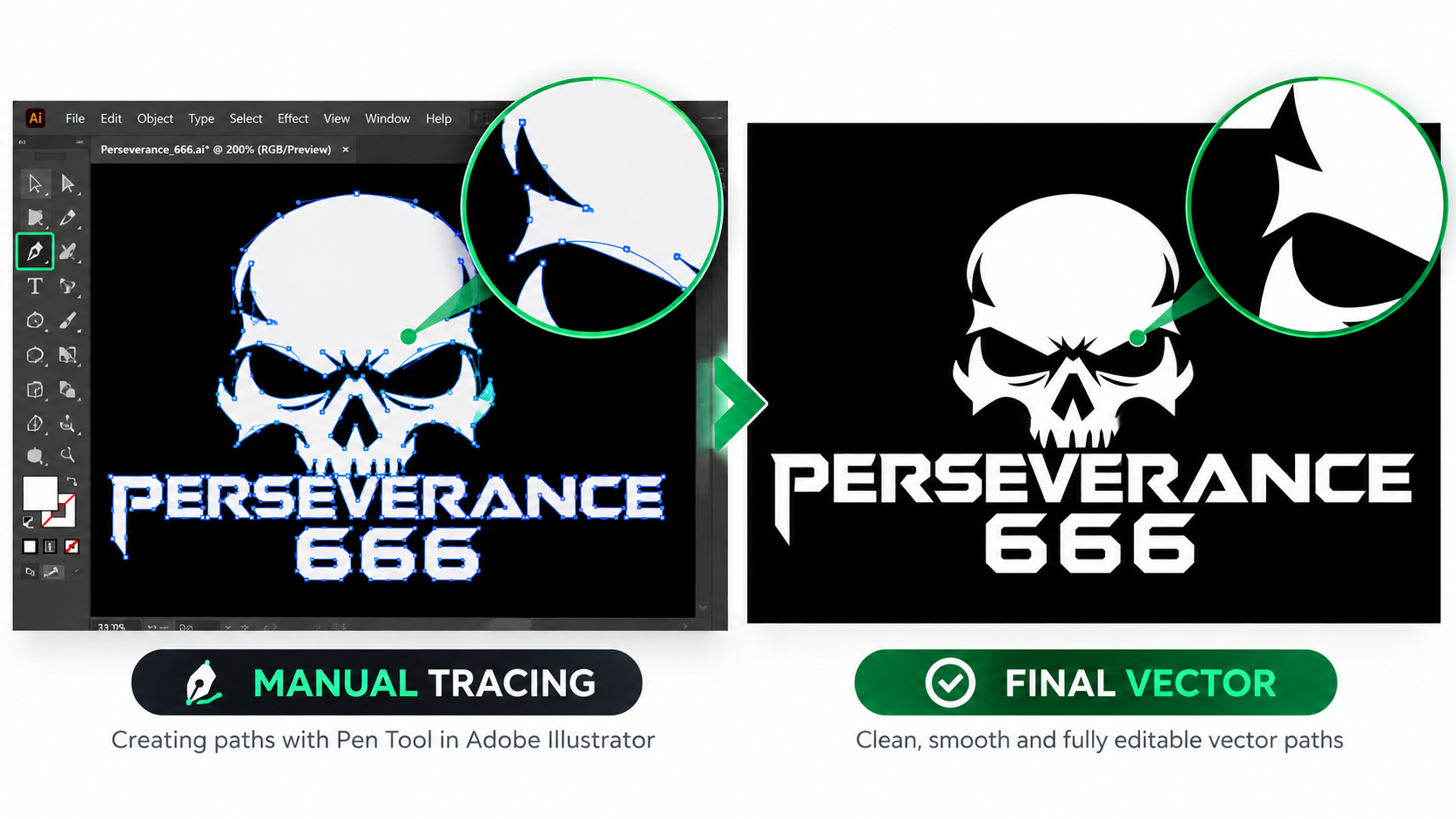
But of course, vector tracing isn't as simple as placing an image into design software and hitting Convert. The procedure depends on the complexity of the artwork and the amount of precision needed.
This is a typical vector tracing workflow looks like:
1. Review the Original Image
The first step is to look at the source art and pick the important bits. These can be text, outlines, color sections, tiny symbols and decorative components.
Usually, a high-res reference is a good thing for the job. But an expert can usually reproduce artwork from an old scan, screenshot or fuzzy logo if enough information is still visible.
2. Recreate the Main Shapes
The artwork is developed by the designer using vector pathways. Paths define shapes and edges of individual objects.
The Pen tool in systems such as Adobe Illustrator allows designers to create and manipulate straight lines and curves, for instance. Anchor points govern the path, direction handles control the curves.
The designer can hand trace the incorrect borders rather than reproducing every pixel imperfection.
3. Refine Curves and Details
After the basic shapes are done, the designer works on the proportions, spacing, corners, intersections. Lettering and logos frequently require additional care as a small deformation can alter the way they look.
For example, a round logo needs to maintain its curves evenly and not have uneven edges. You also have to look carefully at small gaps and overlapping shapes.
4. Match Colors and Separate Elements
The designer reproduces the right colors and splits the artwork into editable pieces. Depending on the design this can entail separate shapes for backdrops, lettering, outlines and decoration.
If the work is to be printed or embroidered, the professional should consider the production process when creating the final design.
5. Check and Export the Final Files
Then you'll want to see your artwork at a variety of sizes and export it to the formats you require.
A good quality check will look for unwanted gaps, jagged curves, overlapping shapes, incorrect colors and missing details. The designer should also confirm that the received files open correctly in the required software or production workflow.
Manual Vector Tracing vs. Automatic Tracing
Tracing software converts visual patterns into vector pathways with little human intervention. Manual tracing is when a designer will go through and re-draw/clean up some routes by hand.
Both are good, but they are better suited to different projects. The inkscape bitmap tracing tutorial demonstrates how the application may convert bitmaps to vector routes. The output still needs to be validated to see if it matches the desired design.
Automatic tracing is not necessarily a bad thing. A sharp high contrast symbol might go better with little tweaking. But intricate logos, exacting copy and production-sensitive designs occasionally require manual adjustment.
If your artwork needs smooth curves and tightly controlled shapes, a manual vector tracing service can assist in creating a more usable vector file.
Where Is Vector Tracing Used?
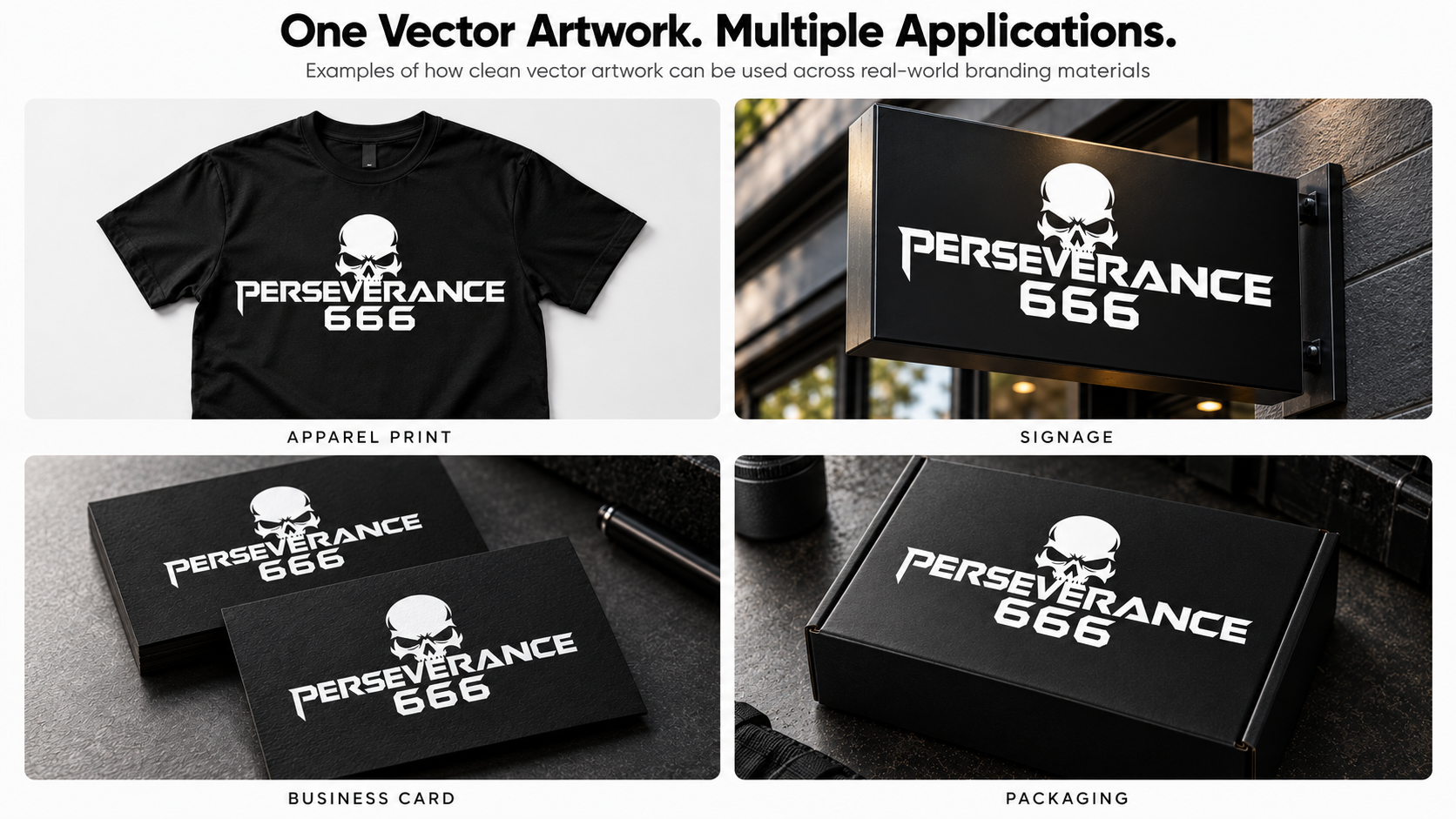
For this reason, firms use vector tracing to create uniform, scalable artwork for multiple applications. The ideal way depends on what the final design is going to be utilized for.
Logo Design and Brand Identity
Companies require logos for their websites, business cards, packaging, uniforms and large-format displays. The clean vector master allows you to resize the logo without losing proportions.
Vector tracing is very beneficial when you don’t have the original logo file or just a low-res image.
Printing and Signage
Printers and sign makers may need vector artwork for banners, posters, retail signs, vehicle graphics and promotional materials.
Sharp outlines are retained when scaled with vector pathways. The finished file must still fulfill the printer’s specifications for size, colors, fonts and output settings.
Embroidery and Apparel
Embroidery firms take artwork and convert it into a pattern for stitching. The vector artwork can be used to help define contours, lettering and color areas but is not the same as a machine ready embroidery file.
Digitizing is the process of taking artwork and converting it into particular stitch instructions for a given machine and material.
Engraving and Cutting
For example, laser engraving , vinyl cutting and the like can use vector paths to define cut lines or outlines .
The artwork has to be in the right geometry and file parameters for the machine. Not all vector files are production ready right out of the box.
Packaging and Promotional Products
Packaging teams and promotional goods vendors may commonly re-use logos on labels, boxes, merchandise and product markings.
Editable vector artwork makes it easy to alter layouts and ensures that branding is consistent across multiple applications.
When Should You Hire a Professional Vector Tracing Service?
If your current image is difficult to alter, loses quality when scaled up or has to fulfill special production criteria, you should seek a professional vector tracing solution.
The assistance of a professional is very helpful:
- You don’t have the original logo file, simply a JPG, PNG or snapshot.
- Auto tracing results in ragged borders, too many anchor points or deformed writing.
- Your artwork has delicate shapes that require detailed repair.
- A printer, embroiderer, sign maker or manufacturer will want a certain vector format.
- You need an editable master file so you may make future design changes.
- Your team needs trustworthy art work and there is not enough time to learn vector design tools.
Before you hire an expert, offer the clearest reference image you have and tell them how you plan to use the artwork. Specify any required formats, colors, measurements and production details.
Manual Vector Tracing provides manual vector tracing of logos and artwork. Artwork is recreated in Adobe Illustrator. You can check the service needs and get an estimate based on your design.
How Do You Choose the Right Vector File Format?
The proper format relies on your program, production partner and intended use. If you ask for the right files before work begins, you can avoid unnecessary conversion and modification afterward. For example, a website designer may want an SVG file, while a designer using Illustrator may want an AI file. EPS or PDF may be specified by print providers.
Request the native editable file and any other formats your suppliers want. Also clarify whether text should be left editable or converted to outlines, especially if font availability affects compatibility.
Frequently Asked Questions
What Is Vector Tracing Used For?
Vector tracing is the process of converting existing raster artwork into editable images for logo, sign, printing, garment, packaging, engraving and cutting applications.
Can You Convert a JPG or PNG to a Vector File?
Yes. You can use a JPG or PNG as a reference to recreate vector graphics. The quality of the result depends on image, complexity of design and tracing method.
Is Manual Vector Tracing Better Than Automatic Tracing?
Manual tracing is often a better choice when accuracy, smooth curves and clean routes are important. Automatic tracing might be nice for simple high-contrast graphics that require minimum cleanup.
Does Vector Tracing Improve Image Resolution?
Vector tracing creates scalable artwork from the visible shapes in a photograph. It doesn’t rebuild photographic details that the original file never captured.
How Long Does Vector Tracing Take?
Timing will also depend on the complexity and detail of the artwork and file formats required. Generally a basic logo is going to take less labor than a sophisticated design or something with lots of little parts.
Which File Format Should I Request?
Illustrator for AI editing, SVG for compliant web graphics, and EPS or PDF when your print vendor requires it. Order only after checking the requirements of the incoming application.
Get Professional Vector Artwork for Your Next Project
If you have a clean vector file, you can reproduce your logo or artwork in numerous sizes and production applications without the pixelation that happens when you enlarge low-resolution graphics.
If your original design is fuzzy, difficult to edit, or just not available in vector format, Manual Vector Tracing can replicate your design as editable vector artwork.
See how our manual vector tracing service works and request a price for your artwork.
Need a clean, print-ready vector file?
Get a Free Quote