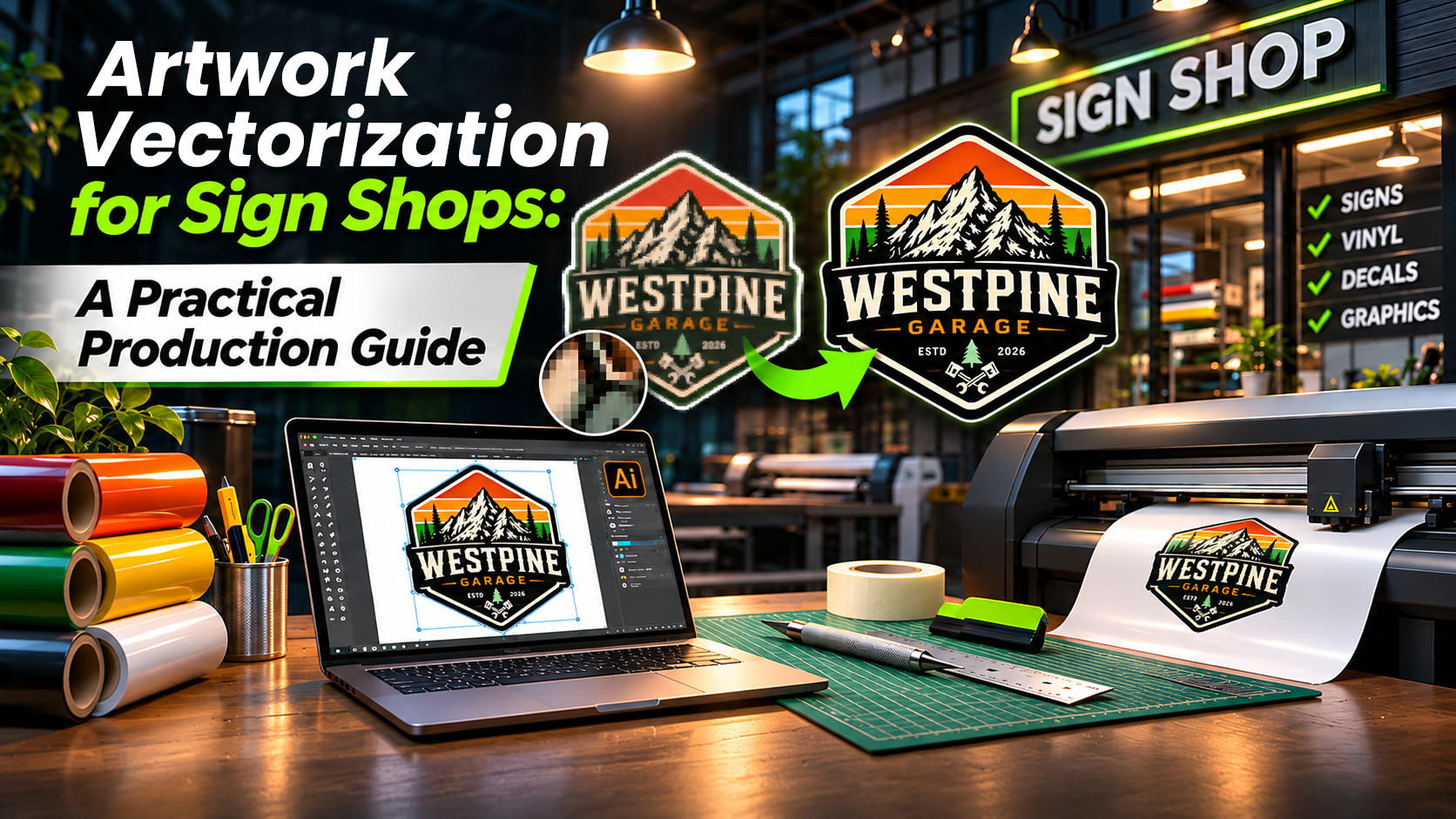
Sign shops rarely receive every customer logo in a perfect production file. A client may send a small JPG downloaded from a website, a screenshot of a logo, an old scan or a PDF that contains only an embedded image. These files can delay a sign project when the team needs clean lettering, scalable shapes or accurate cutting contours.
Artwork vectorization for sign shops is about more than changing a file extension. It means reconstructing the necessary shapes as genuine vector paths, checking the artwork against the approved reference and preparing a suitable master for the next production step. Final sign output still depends on the printer, cutter, material and fabrication requirements.
This practical guide explains how to assess incoming files, choose between automatic and manual tracing, prepare vector artwork for different sign-making applications and hand off files with fewer avoidable questions.
Why Vector Artwork Matters in Sign Production
A small logo can look acceptable on a laptop but reveal jagged edges when enlarged for a storefront. Raster images such as JPG and PNG consist of pixels; enlarging them beyond their effective resolution may reduce edge clarity. Vector artwork uses mathematically defined paths for shapes and lettering, so those path edges can scale without raster pixelation.
For sign professionals, an accurate vector master can support storefront signs, window lettering, vehicle graphics, acrylic signs, wall branding and later revisions. Editable shapes make it easier to isolate colors, adjust layouts and prepare application-specific versions without redrawing the logo every time. However, not every sign requires every element to be vector. A high-resolution photograph can be appropriate for a printed banner or vehicle wrap. Cutting, engraving and fabrication often require additional path preparation beyond a normal vector logo. The real requirement is the correct artwork structure for the specific output.
Common Problems with Customer-Supplied Artwork
Low-resolution logos and screenshots
A logo copied from social media or a website may have too few pixels for the planned sign size. Exporting that image as an EPS, SVG or PDF does not automatically rebuild its lettering or curves. Check whether the original editable artwork exists before commissioning a redraw.
Compression, distortion and unclear details
JPEG artifacts, screenshots, photographs taken at an angle or scans of old printed materials can blur edges and change proportions. A designer may be able to reconstruct the intended geometry, but lettering or shapes that are missing completely should be confirmed with the customer rather than guessed.
Custom typography and incorrect contours
Brand lettering may have modified characters, unusual spacing or distinctive internal cutouts. Replacing it with a similar-looking font can change the identity. Automatic tracing can also introduce extra anchor points, uneven curves, double edges or unwanted overlapping shapes.
Vector-capable files that still contain raster artwork
AI, EPS, SVG and PDF can contain vector objects, raster images or a mixture. Inspect the logo elements themselves rather than trusting the filename. A PDF holding a single JPG is not the same as a fully redrawn vector logo.
Should a Sign Shop Use Automatic or Manual Vectorization?
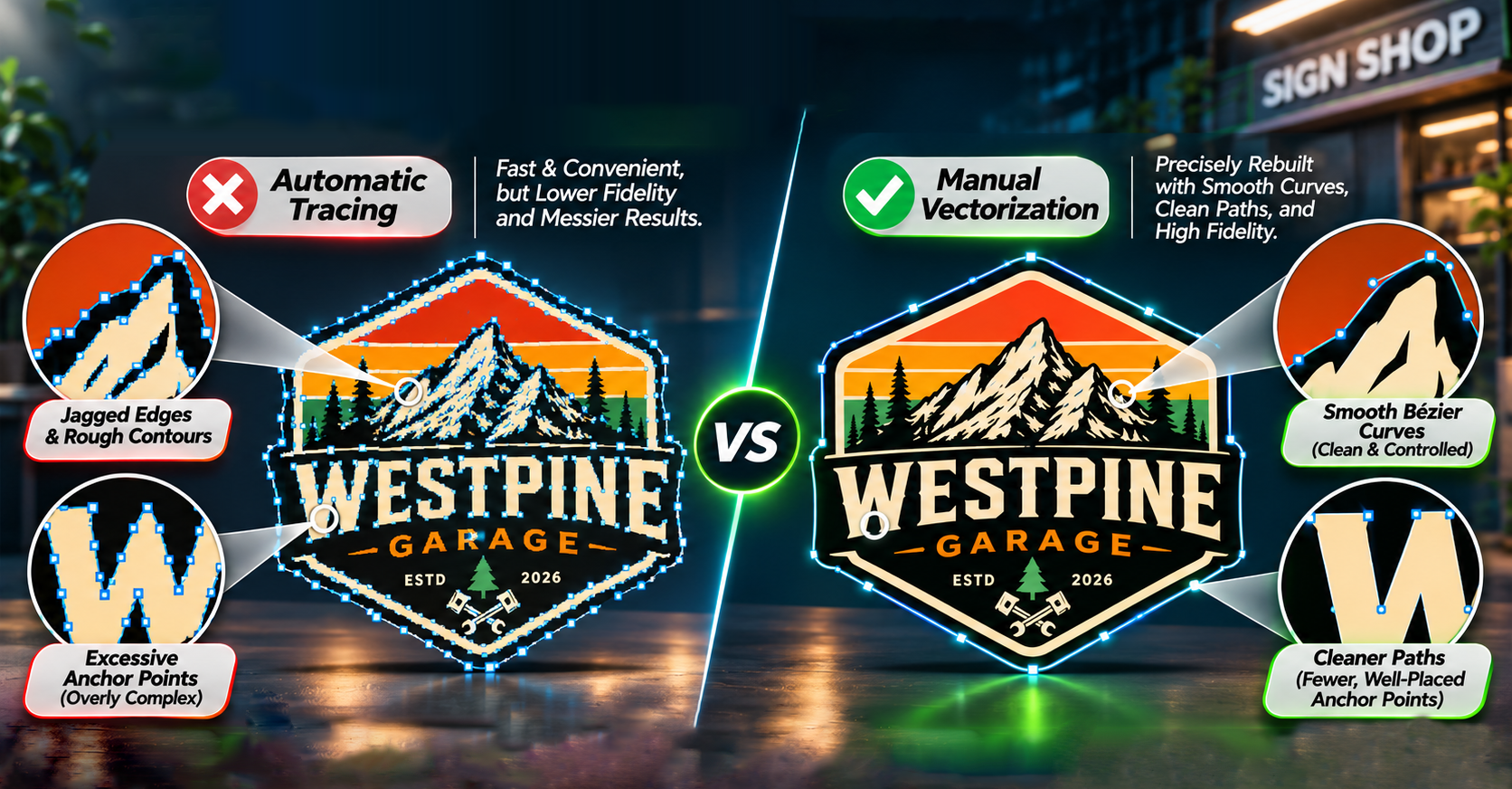
Both methods can create vector paths, but their suitability depends on the artwork and production tolerance. Automatic tracing is useful for simple, clean silhouettes and some high-contrast graphics. Manual vector reconstruction is often the better choice when brand fidelity, lettering, path quality or complex geometry matters.
| Check | Automatic Tracing | Manual Reconstruction |
| Best-fit artwork |
Simple, high-contrast shapes |
Logos, custom text, damaged or detailed art |
| Path construction |
Software-generated boundaries |
Designer-controlled shapes and curves |
| Common risk |
Noisy points, rough contours, merged detail |
Longer production time; depends on reference clarity |
| Quality control |
Requires inspection and possible cleanup |
Requires comparison with approved artwork |
| Sign-production role |
Possible starting point |
Clean editable master for further sign setup |
Manual tracing does not automatically create an approved cutter file, router program or laser setup. A sign shop should still perform the necessary production preflight, regardless of which tracing method was used.
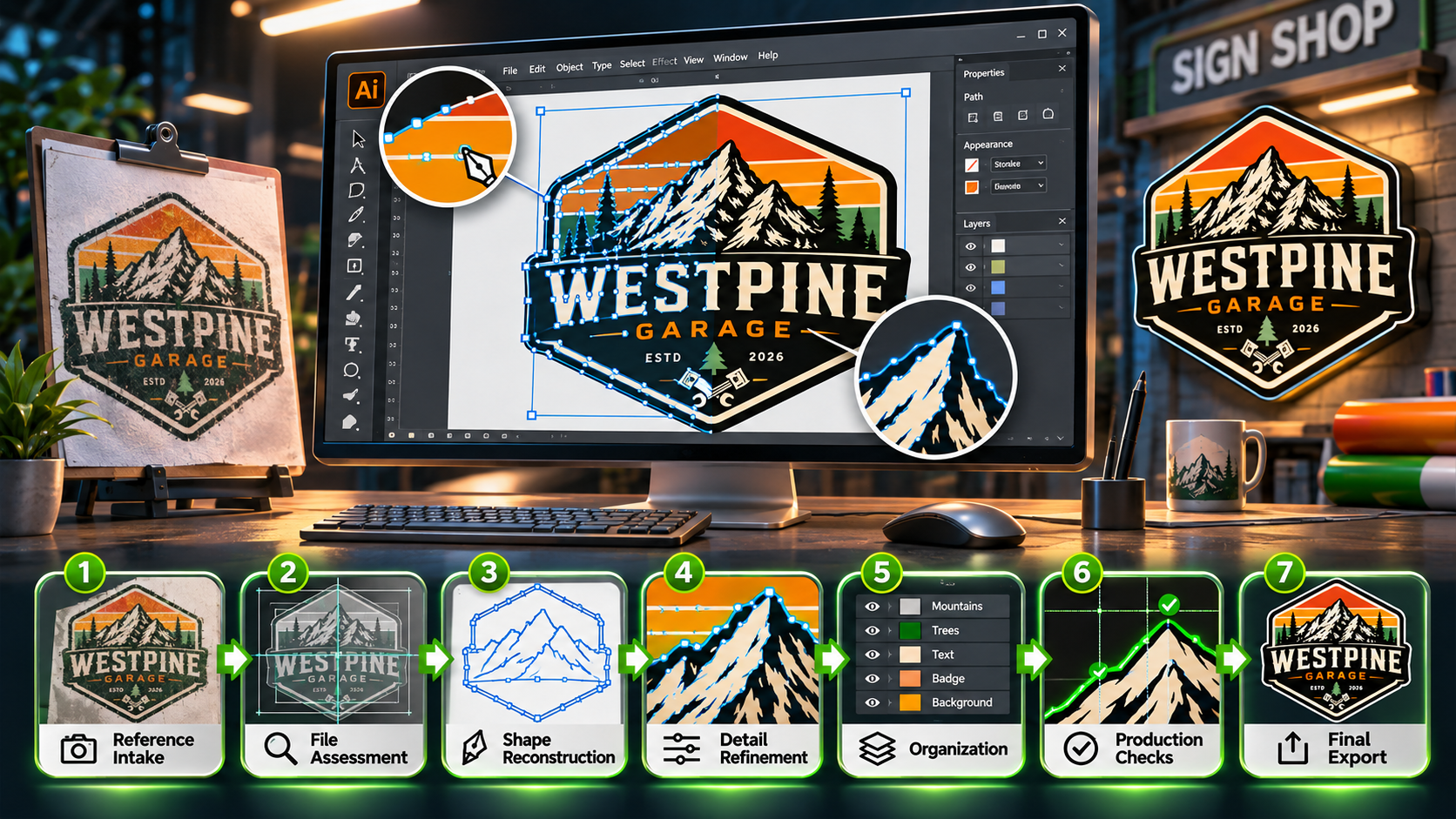
A Seven-Step Vectorization Workflow for Sign Shops
Step 1: Identify the final application
Ask whether the graphics will be printed, cut from vinyl, fabricated as dimensional letters, engraved or applied to a vehicle. Confirm the intended size, material, equipment requirements and whether the design will be used outdoors. A detail that prints well on a banner may be too narrow for a particular vinyl-cutting process.
Step 2: Gather and approve reference artwork
Request the clearest available PNG or JPG, any original AI/EPS/PDF files, brand guidelines, font information, approved colors and photos of previous signs. Compare conflicting versions and confirm the one that should be reproduced. If a letter or symbol cannot be identified reliably, obtain approval before redrawing it.
Step 3: Reconstruct the principal shapes
Place the original image on a locked reference layer in Adobe Illustrator. Build the broad silhouettes and geometry first, followed by the main lettering, symbols and smaller internal details. Use shape tools and deliberate Bézier paths rather than attempting to follow every pixel of a damaged outline.
Step 4: Refine typography, curves and negative space
Inspect letter spacing, stroke consistency, counters inside letters, corner transitions, decorative cutouts and small gaps between shapes. Clean vector artwork uses enough points to describe the intended form accurately—not the largest possible number of points. Compare the completed redraw with the approved source at matching scale.
Step 5: Organize the editable master
Group related shapes and use a simple layer structure that another designer can understand. Separate reference images, approved logo geometry, editable or outlined lettering and any production notes. Avoid sending hidden tracing references, unnecessary off-artboard objects or unrelated construction marks in the final production copy.
Step 6: Confirm colors, dimensions and output-specific geometry
Check the logo against approved color references and proportions. Confirm finished dimensions and required output scale with the sign shop. Print workflows may use CMYK profiles or named spot colors; cutting workflows may use particular layers, stroke conventions or cut-path rules. These requirements come from the receiving production team, not from the vector extension alone.
Step 7: Export, reopen and validate
Keep the editable Illustrator master, then export requested formats such as AI, EPS, SVG, vector PDF or a high-resolution PNG preview. Reopen exported files and confirm that paths, colors, shapes and lettering remain correct. A visually sharp preview is not proof that the file contains usable editable contours.
Vector File Requirements for Common Sign-Making Applications
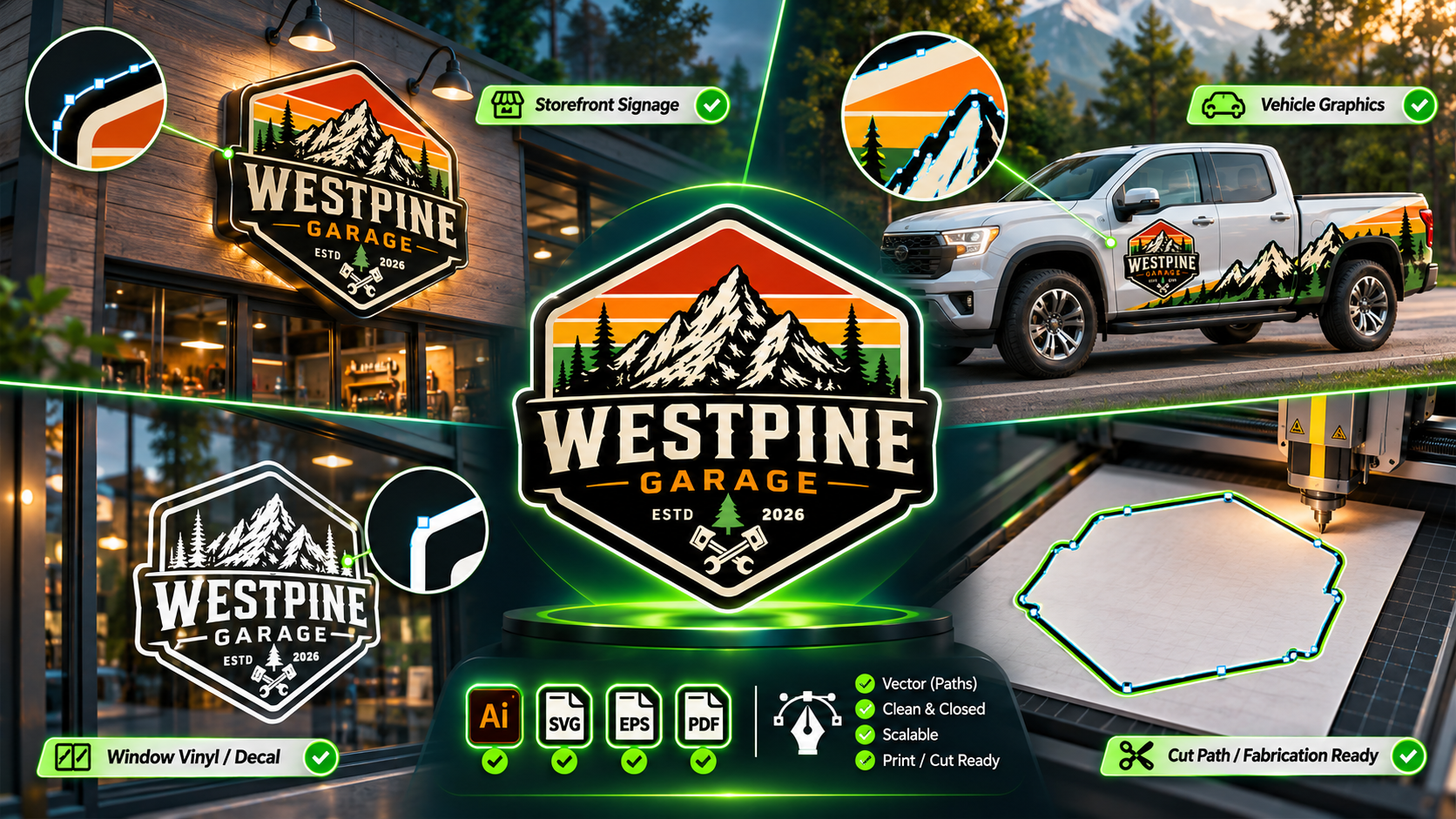
Storefront signs and dimensional letters
The logo often needs to be enlarged substantially and separated into distinct elements. Verify the proportions, correct spelling, edge smoothness and intended sign dimensions. Dimensional letters or illuminated sign fabrication may require separate faces, returns, backs, mounting features or fabrication drawings prepared by the fabricator.
Vinyl cutting and window lettering
Cutters need appropriate contours, not simply a nice-looking vector preview. Check closed shapes where required, internal letter counters, duplicate cut lines, tiny isolated pieces, overlapping paths and the minimum practical feature size. Confirm the cutter software and vinyl or substrate limitations before delivery.
Vehicle wraps and vehicle lettering
A vector logo provides scalable source artwork, but wrap production also depends on vehicle templates, panel boundaries, door handles, windows, distortion across curved surfaces and installation overlap. Printed wraps may appropriately include raster photography or textures at a resolution suitable for their finished size. Vectorization does not replace vehicle-specific layout work.
Illuminated signs, acrylic, CNC and laser-cut components
These workflows may need specially prepared profiles, fabrication tolerances, machine-readable files, separate material layers or closed cut geometry. AI, EPS, SVG and PDF are not automatically CNC code or approved laser programs. Establish the fabricator’s exact file and path specifications before promising a machine-ready deliverable.
Banners and large-format printed graphics
Large-format print designs can combine vector brand marks with suitable high-resolution raster images. Check the effective resolution of photographs at the final output size, the printer’s scale and color requirements and whether transparency or other effects will reproduce properly. A blanket demand that all banner artwork be vector is unnecessary.
What File Formats Should Sign Shops Request?
| Format | Typical Role | Important Limitations |
| AI |
Editable Illustrator master |
May include raster effects or embedded images |
| EPS |
Compatible vector exchange |
Can also contain raster data |
| SVG |
Scalable paths for compatible software |
Can embed raster images; check cutter compatibility |
| PDF |
Review, sharing, some printing workflows |
May be raster, vector or mixed |
| PNG/JPG |
Previews and raster-print workflows |
Not editable cutting geometry by themselves |
Ask for a clean master and whatever additional production-specific file is required. Saving a low-resolution customer image with a vector-capable extension does not create genuine path geometry.
Production Preflight Checklist for Sign Shops
Use this checklist before handing artwork to a printer, vinyl cutter, vehicle-wrap team or fabricator. Adapt it to the actual equipment and job specification.
Artwork quality
- The correct customer-approved logo version is being used.
- Lettering, proportions, colors and internal cutouts match the reference.
- Unwanted anchor points, duplicate shapes and stray objects have been reviewed.
- The necessary elements contain genuine vector paths rather than only embedded raster images.
Production preparation
- Final dimensions, scale, intended material and process are confirmed.
- Cut contours are cleaned and closed when the cutter or fabrication process requires them.
- Small text and narrow features have been checked for the intended production method.
- Raster photographs and effects have suitable effective resolution for print.
- Required color settings, spot colors, layers and manufacturer conventions are confirmed.
File handoff
- An editable master and the agreed delivery formats are included.
- Exported files have been reopened and inspected in suitable software.
- A proof or preview has been checked against the approved design.
- Any separate fabrication, digitizing or machine-programming work is clearly identified.
Common Mistakes That Delay Sign Production
Several recurring mistakes are easy to avoid with a clear handoff: assuming a PDF or EPS must be vector; over-tracing every pixel into noisy anchor points; changing custom typography without approval; overlooking internal cutouts; leaving duplicate cut lines; and delivering only a flat PNG preview when the shop requires editable geometry. Another frequent problem is treating production terms as interchangeable. A clean vector master is not necessarily a final vehicle-wrap layout, vinyl-cut file or CNC program. Scope the design deliverable and the fabrication deliverable separately so the shop knows which steps are included.
When Should Sign Shops Outsource Vector Artwork?
An in-house designer may reasonably handle a simple symbol or a straightforward artwork correction. Outsourcing becomes more useful when a logo has damaged source images, precise custom lettering, detailed illustration, repeated revisions or a production deadline competing with other shop work. For a sign shop, the value of a specialist is not just a new file extension. It is time spent accurately rebuilding the original design and providing editable paths that the production team can inspect and adapt. Any remaining cutter-specific or fabrication-specific setup should be agreed separately. When requesting a quote, send the best available artwork, intended sign type, dimensions, needed file formats, color references, deadline and any specifications supplied by the sign manufacturer. If details are missing or ambiguous, identify them before the redraw begins.
Frequently Asked Questions
Why do sign shops need vector artwork?
Vector paths let sign designers scale logos and lettering without raster pixelation and edit individual elements. Some fabrication and cutting processes also need precise contours, although the final machine setup may require more work.
Can a low-resolution JPG logo be used for a sign?
Yes, sometimes as a visual reference for manual vector reconstruction. For direct printing, a raster logo may also work if its effective resolution meets the production requirement. A small image does not become vector merely by being saved as a PDF.
Is automatic tracing suitable for sign-making artwork?
It can be suitable for clean, simple, high-contrast shapes. Complicated logos and distinctive lettering often need manual correction or complete reconstruction. Always inspect the resulting paths.
Does a vector PDF automatically work for vinyl cutting?
No. A PDF can contain raster content and even valid vector paths may need closed contours, removal of duplicates or other adjustments for the cutter and software.
Which vector format is best for sign shops?
There is no universal best format. AI is useful as an Illustrator master, while EPS, SVG and PDF may serve particular exchange and production workflows. Confirm the format accepted by the receiving software and the required file preparation.
Does vector tracing include vehicle-wrap or CNC fabrication files?
Not automatically. A redrawn logo can supply scalable source artwork, but full vehicle templates, cut layouts, CAM programming or other machine-specific outputs are separate tasks unless explicitly included.
What should a sign shop send for a vector tracing quote?
Share the clearest available original, any brand references, final sign application, approximate dimensions, preferred file formats and deadline. Also provide cut-path or fabrication requirements from the production team where relevant.
Final Takeaway: Start Sign Production with the Right Artwork
Good sign production begins with accurate artwork and a clear understanding of the intended process. Manual vector reconstruction can turn weak customer references into clean, scalable shapes and editable lettering, making the next design stage easier to manage. But responsible sign preparation still includes measurements, path checks, material limitations, color requirements and final production approval.
If your sign shop regularly receives blurry logos, old scans or artwork that cannot be edited reliably, ManualVectorTracing.com specializes in 100% manual reconstruction in Adobe Illustrator—without automatic tracing shortcuts.
Explore our Vector Artwork for Sign Making service and request a free quote. Send your artwork, intended application and supplier specifications so the scope can be reviewed before work begins.
Need a clean, print-ready vector file?
Get a Free Quote